• Photography
  • Interviews
  • Business
  • Reviews

Tiffinbox

Inspiring Photographers

  • Home
  • About
  • Blog
  • Contact

How You Can Optimize Facebook Marketing

June 11, 2012 by Craig Robinson

Today's guest post is by Craig Robinson. He works as Editor for a Facebook Ad manager tool called Qwaya. Besides writing about topcis like this one, Craig covers other trends within Social Media for Qwaya and he has studied Social Context and Media-Communication Science.

Facebook is a great marketing channel for small businesses. If you put some effort into creating and tweaking your campaigns, you may outperform bigger competitors who won’t spend as much time on a single niche. But it takes a lot of testing and result analysis to succeed. You can’t just put up an ad and wait for it to convert.

Before we go any further, let’s quickly look at the advertising options available on Facebook.

Social or Antisocial Ads

You could say that Facebook ads range from classic, banner-like online ads to social recommendations.

The first category consists of the ads you see to the right of your news feed. When you click them you’re usually directed to a company’s webpage where you’re supposed to sign up or make a purchase.

Remember, though, that you can still be quite creative when you make these ads even though there are rather strict rules regarding text length and image size etc. Here’s a short list with great tips on how to change things up.

Just keep in mind that you need to have material in the ad that is followed up when the person clicks through to wherever the ad is pointing. Forget “smiling ladies” and generic “persons standing around having fun together.” Use pictures and texts that really represent what you are about instead.

On the other hand of the spectrum we have sponsored stories, which is a mix between an ad and a recommendation from a friend to a friend. This could be that someone comments on your fan page and the comment is converted into an ad shown to his friends. It could also be a check-in at your studio, an RSVP to an exhibition or that someone likes or tags an image you’ve posted.

Basically anything can be turned into an ad/recommendation, and for people working in creative industries, social Facebook ads are often the best option. You highlight when someone does something on your fan page and this action is then spread to this person’s friends. People see that you are “liked”.

Facebook Ads Optimization

Facebook is packed with people. Everybody is there. So your problem as an advertiser is not how to reach out to as many as possible but rather how to reach out to the right people – people who will like you, visit your website or fan page, and in the end become a customer.

Because of this you have to use demographic features when you’re creating your ads, such as age, interests, geographic locations etc.

My biggest advice for aspiring Facebook advertisers is to test everything – different type of ads and different targeting. This is the only way to really find out what which your best target groups are and what kind of ads they respond to.

One such group could be women in Seattle who like photography and are between ages 25-35. If you approach them with both traditional Facebook marketplace ads as well as sponsored stories you’ll soon find out what ad type matches your business goals and then you carry on using the best-performing ads.

You can of course organize the ads yourself through Facebook, but it’s a bit of a hassle. You will have to keep track on your own which ads are running, when they are running, how much impressions they get and so on. After a while this can cause some problems as you are probably spending money on stuff you don’t want.

When you’ve started to run several campaigns simultaneously you might benefit from using a tool to help you keep track of where you are in the advertising process, and perhaps even more important, which ads that actually made profit or met your business goal in terms of number of likes etc.

The only tool on the market today that provides a full self-serviced solution is Qwaya. The tool is completely browser based so that you can access it anywhere. Qwaya has direct access to Facebook’s API which means that it’s always updated with the latest segmentation features and demographic options.

Qwaya Campaign Interface

Most Important Thing When Making Ads

When realizing that Facebook is full of people with different interests and demographics it’s easier to create ads with them in mind. One key thing to remember is to always A/B test ads for the same demographic group and follow up on the result.

Don’t just run ads and hope for the best. You might improve the results if you tweak them a bit. Use the statistics that you get from Facebook, perhaps Google Analytics or some other tracking source. In doing so you will be able to quickly move your advertising budget to ads that perform well and cancel ads that just cost you money.

Again, the key is to start advertising to different people in different ways and then let the results dictate the future.

These are just some short tips on Ads for Facebook. If you are interested in learning more you can check out this page for more Facebook marketing strategy tips.

Would you like to win a month-long access to Qwaya's Premium Plan (valued at $149)?

Here is what you need to do to win:

1) Comment below, telling us how you would use your Qwaya account
2) “LIKE” Tiffinbox on Facebook – https://www.facebook.com/tiffinboxmedia
3) Tweet “I just LIKED #Tiffinbox on Facebook – http://seshu.me/JSOBYk – for a chance to win a month of Qwaya for my photography business. Please RT!”

I'll randomly pick one person who has commented below, LIKED Tiffinbox on Facebook and posted the Tweet as it appears above. Winner will be notified via Facebook on June 15th.

Filed Under: Marketing, Photography Tagged With: ad manager, advertising, blog software, facebook, facebook ads, facebook features, facebook marketing, facebook marketplace, facebook social, Marketing, marketing channel, marketplace ads, online social networking, social facebook, social information processing

Effectively Automating Social Media Marketing

June 13, 2011 by Andrew Funderburg

Andrew “Fundy” Funderburg, is no stranger to Tiffinbox. Read his previous contribution about his album designing program for wedding and portrait photographers. In full disclosure I have to tell you that he and I are collaborating on SociRoll, the social media marketing tool he discusses briefly in this guest blog post.

I’d like to start off by saying that I am at the top of the list of haters of social media tools being used to spam people. Do not use social media to spam your followers.

So, the question is, why would I invent a program for automating Social Media marketing. The answer is simply that I have more things to share with my friends and followers than I have time in the day to share.

Social Media is all about making connections with people. For me it is about making deep connections. I’m not the type of person always tweeting and posting a ton of personal information. Sure, I’ll hop on Facebook and Twitter during the weekend and talk about the movie I’m going to see or whether my kids won their basketball games. But, during the week, I post a few personal things–mostly information about photography and the business of photography.

We strive to collect and provide some of the best content in the wedding and portrait industry. Content that we create and share today is still valuable in one or two months. If we manually update everything on Facebook and Twitter, all of this old content is lost. We constantly have new followers and friends and these new people will be just as interested in our old content as our new content.

Andrew Funderburg Blog Posts

Since August of 2010, we’ve written 150+ blog posts. More than 100 of these blog posts are related to the business of wedding and portrait photography. There are articles on everything from how to price wedding albums to how to sell portrait packages and everything in between. I want to make sure that our followers see this info.

It would be physically impossible for me to make sure that each one of these blog posts is featured in a tweet once a day. I would lose track of what I shared yesterday, probably miss some things, duplicate some things, etc. The point here is that if I have SociRoll auto post one of my blog posts every day, or even twice a day, we won’t repeat sharing a blog post for 3 months. And then we take into account the fact that if something doesn’t show up in your Twitter in the last five minutes, we won’t see it. The chances of someone seeing repeated Tweets is very low.

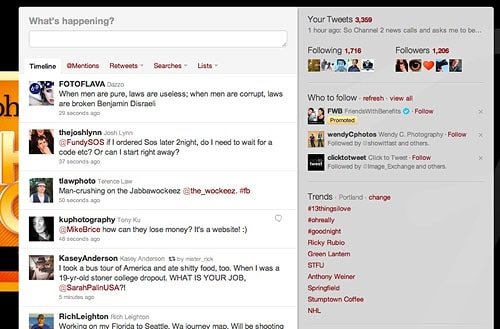
Andrew Funderburg Twitter Streams

Now, let’s take a professional photographer. Let’s say the average wedding photographer shoots 30 weddings and 40 portraits a year. That’s 70 blog posts a year. Then let’s say they have been in business for 3 years. That’s more than 200 blog posts. Sharing one of these (or even two of these) events on their Facebook fanpage every day will seriously add to their brand and their site traffic.

So, do we set it and forget it? No. We let SociRoll do the heavy lifting for us, and we work hard to respond to people, retweet our friends, add personal touches, etc. But we know that our content that we’ve worked extremely hard to create is being shared among our friends and followers. Here's how to get started with SociRoll.

Filed Under: Blogging, Business, Marketing Tagged With: automate, automating, blog, blog post, engaging with people online, facebook, human interest, Marketing, marketing tools, online social networking, portrait photographers, social information processing, social media, tools, Twitter, web 2.0, world wide web

Subscribe To Tiffibox Treats!

Looking for a well-curated email newsletter that will leave you inspired and motivated about your photography business? Sign up below!

About Seshu

Seshu creates relaxed portraits of families and high school seniors in Avon, Connecticut. He also leads a successful headshot photography studio in Connecticut, helping professionals from a variety of disciplines project the very best versions of themselves. He created Tiffinbox as a way of inspiring photographers, to create better images and successful businesses. [Read More]

Email Templates For Headshot Photographers

Email Templates for Headshot Photographers

Recent Posts

  • How Capture One Changed My Event Photography
  • 10 Steps To Stay Positive In Times Of Great Stress
  • Why You Need To Read “Personal Branding For Photographers” Now
  • How To Master Your Website Content Step By Step?
  • Tony Taafe’s TNT Method For Headshot Photographers

Recent Comments

  • Stephen Davison on Are You A Business Owner Who Is Smart, But Stuck?
  • Ben A. on Don Giannatti Clinches The 8th Annual Tiffinbox Award
  • Dan on Don Giannatti Clinches The 8th Annual Tiffinbox Award
  • Donald Giannatti on Don Giannatti Clinches The 8th Annual Tiffinbox Award
  • Stephen Davison on G.E. Masana’s 6 Strategies For Wedding Photography Success
  • Naveen Kumar on Weddings In India Are More Than Being At The Right Place And At The Right Time
  • kartick on Weddings In India Are More Than Being At The Right Place And At The Right Time
  • Leonid Farbman on 6 Uncommon Trends To Grow Your Photography Business
  • Willow and Finch Wedding Photography on 11 Reception Tips To Help Your Wedding Photography
  • Web Designer Malaysia on How To Optimize Your Squarespace Website For Search Engines
  • Creastan on An Interview With Photojournalist G.M.B. Akash
  • Cindy Brown | Atlanta on An Open Letter To A Local Photographer

Become a Patron!

Copyright © 2026 · Tiffinbox · Site Design by Heather Mackan Creative · Built on Genesis