• Photography
  • Interviews
  • Business
  • Reviews

Tiffinbox

Inspiring Photographers

  • Home
  • About
  • Blog
  • Contact

A Perspective On Photo Book And Album Manufacturing

January 12, 2012 by Dhiraj Kacker

This guest post is by Dr. Dhiraj Kacker, CEO and co-founder of Canvera, an online digital photography company based in Bangalore, India. Dhiraj has numerous patents and publications to his name in the field of Digital Imaging. Dhiraj can be found online on twitter, his company blog or his personal blog.

With the advent of digital photography and the simultaneous rise of the Internet the entire photography landscape has been revamped in the last decade. This audience knows these changes quite well so I won’t dwell on all of them but rather I’ll focus my post on the technology and craft that goes behind a product that was spawned by this revolution: Photo Books.

I don’t know how many people actually sit back and think about it but it is quite remarkable that today we can actually get a single copy of a book printed at a reasonable price and turned around fairly fast. In the traditional book publishing world the economics just would not make sense unless there were at least say a 1000 copies of a book to be printed. There are many services that provide the ability to print one-off books:

a) Consumer grade photo books by companies such as Shutterfly, Snapfish, Kodakgallery

b) Self publishing service providers such as Blurb, Amazon etc. that focus on generic publishing not just photo content

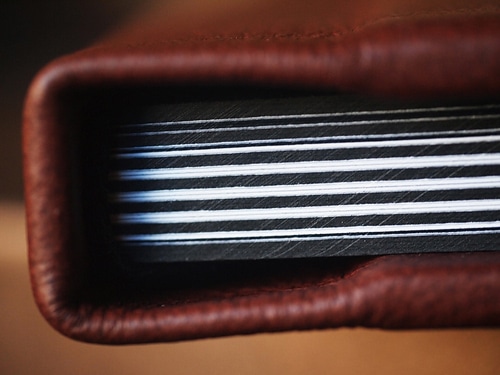
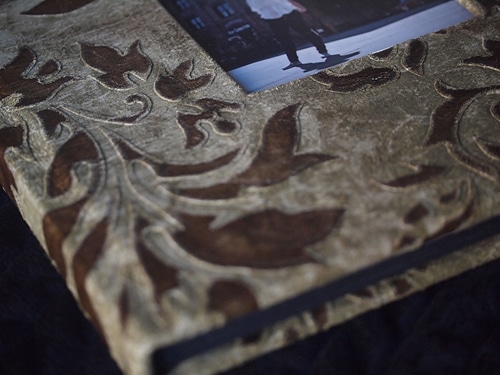
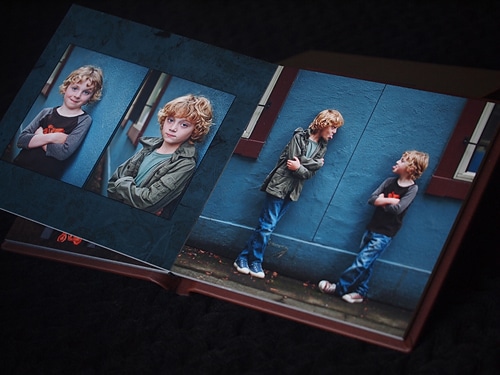
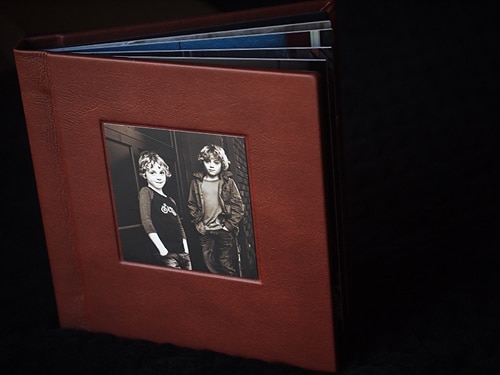
c) High-end photobook and album manufacturers such as Graphistudio, Asuka, Queensberry etc. that provide a much richer variety in covers, papers, finishing and other customizations. These are the favorites with professional photographers because they best showcase the work of a pro.

Canvera falls in the last category and we have slowly but surely added more and more options as we engaged with more photographers and understood their needs. There is however a constant tension between how many options we can offer versus producing a high quality output and keeping fast turnaround times. What makes this difficult is that there are many different pieces that have to come together in an exact sequence without requiring any one person or set of people to keep track.

Take for example a flush mount book with a custom cover and a personalized box with pictures. The inside of the book is printed on a silver halide machine and bound. The cover and the box wrap are printed on a wide-format printer (in Canvera’s case). The cover goes for separate finishing and then through barcodes is matched at a separate station with the book block and then bound together. The same happens with the custom box. Now there are complications in the process: the silver halide printer and wide-format printer have to be producing the same colors at all times, we can’t afford to have anyone trying to match colors on a book by book basis; individual sheets may have to get re-printed for a variety of reasons; QA may reject the finishing of one of the pieces and that may have to get re-done and matched back with the remaining finished pieces.

Canvera Albums

None of this is possible to do at scale without significant automation and technology. But adding options brings with it significant complexity as well. Even seemingly simple things such as adding more cover varieties, paper types or hot foil stamping fonts requires us to think through the full workflow: what equipment do we need, where will the raw materials be available on the production floor, how will quality analysis happen etc. We keep trying to push the envelope in adding choices (and at times have gotten burned!) but it is a balancing act.

At Canvera our driving philosophy behind everything we do is as follows:

a) 80% of what makes a good photo book or album is the photography! No matter how many digital photography touch-up tools have been created and how many effects one can do, the pressure on a pro to produce great pictures is as high as ever. In fact I’d argue that with an explosion in images fueled by the web and multitude of capture devices, consumers have subconsciously developed a greater appreciation of what makes a good picture.

b) Fast turnaround time matters a lot. Take the case of wedding photography: For the bride and groom 90% perfect pictures and album received within 10-15 days of the occasion are much more valuable than the absolute perfect set received 6 months after the event. At Canvera therefore, once we get an order we try to put it in the mail within 48 hrs.

c) Quality of printed products should be high and predictable. It is not good enough that the samples are great, but every single product produced every single time without requiring any special treatment should be produced at high quality.

With these driving principles, we focus more on turn-around-time and end-to-end workflow to ensure speed and quality while hopefully letting the photography do most of the talking. This does not mean that we don’t keep adding options, but we do try and think through the full implications first.

Here are things for you to consider when choosing a photo book or album company (beyond of course liking the samples):

1) What kind of front end tools (web or client based) do they provide to capture the order correctly? If there is complexity of choices in the order that the front end tools are not capturing and you are sending instructions over email/phone, chances are that mistakes will happen..

2) As the company grows, do they have processes in place to maintain their turn-around-times and quality at high volumes or are they better off as a low volume hand-made producer?

3) Do the variety of options on the books and albums lend themselves to more mistakes? Is the company ready to handle that much complexity?

4) What kind of color consistency is there in their production work flow?

Canvera Albums

As I said earlier, at Canvera we are taking the approach that first and foremost the photographs should do the talking. That’s key. And we as the photo book and album manufacturers should get out of the way by quickly turning around a high quality product with the right colors morning, evening or night, even if it means in the short term compromising a little on the variety we offer.

What do you think? How do you pick your photo book and album company? Do you agree/disagree with this thinking?

Filed Under: Album Design, Photography Tagged With: Album, album company, album manufacturer, book, book printing, books, canvera, ceo, digital photography, eastman kodak, manufacturing, mass media, perspective, photo, photo book, photo books, photobook, photograph, photograph album, Photography, printer, printing, publishing

How To Sell Wedding Albums To Clients?

March 29, 2011 by Seshu | Editor & Publisher

Andrew Funderburg is the founder of Fundy SOS, a software company that creates remarkable tools for wedding and portrait photographers. His Fundy Album Builder [affiliate link] recently won the Hot One Award by the Professional Photographers of America.

Most couples seek photographers who can deliver beautiful wedding albums. Most often, though, photographers find themselves hitting the breaks when trying to sell those wedding albums. What prevents them from making the sale?

“Fundy” as he is known has some advice for wedding photographers looking for ways to increase their profit margins. Check out this video that I created when I met up with him at the Mystic Seminars event in early January.

Please note that Fundy's is one approach to selling wedding albums to clients. How do you approach it? Would you be open to sharing your thoughts with us? Please comment below!

Filed Under: Album Design, Photo Biz, Sales, Weddings

Using Negative Space When Designing Albums

February 8, 2011 by Justine Ungaro

Based in Los Angeles and Washington DC, Justine Ungaro has been photographing weddings and portraits in her own clean, classic style since 2003. This is her first guest blog post on Tiffinbox.

“The pictures are so small on the page and there is too much white space”.

Every time I receive one of these emails, I die a little bit inside. You know the ones I'm talking about because you all get them too. Usually from the mother of the bride or groom about her album design that you labored over for hours. Sometimes even from the bride or groom themselves. And as much as it just drives me crazy it's really not their fault. As photographers we are highly visual people. We notice the tiniest nuances and subtleties of light. We stare at compositions and dissect how we coulda, shoulda done it better. We are very hard on ourselves.

But sometimes we need to remember that our clients (usually) are just not as visually sophisticated as we are. Sometimes we need to educate them, try to change their minds, show them that we know what is best for them. And sometimes it's better to just give in. It is their album after all. But rarely do I give in without a little bit of a fight. I want my white space. But whether or not I win or lose any particular album battle is beside the point. It brings up a very good question. Why is negative space important?

Now although I do design albums, I don't consider myself a designer. Still, despite being a non-designer I do try to incorporate what little I do know about good design into my albums…and that is balance, tension and flow. I want to lead my viewer across the page in a way that makes sense. I also want to make them work for it just a little bit and I want the pages to feel nice and balanced. Generally this is not accomplished by just cramming tons of images onto a page. Simple and clean is elegant, sophisticated and classic.

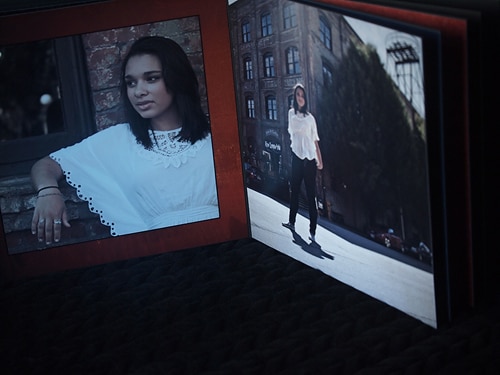
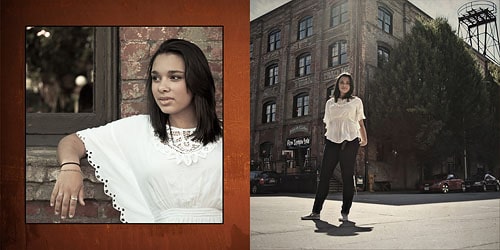
Queenberry Musee Album by Justine Ungaro

Queenberry Musee Album by Justine Ungaro

(Both images above are of Queensberry‘s newest album offering, the Musee)

Why else is negative space important to us? If you look around at advertisements for various products, you can tell immediately which ones are cheap, mainstream or just unabashedly pedestrian. They are the ads that are full of stuff: pictures, clunky logos, too many fonts & colors; they look messy. If you look at advertisements for luxury products or services, they are almost always clean and simple and full of what? That's right, negative space.

So I know that we're all in different positions in our various markets. Not everyone serves a high-end market. But if you do or if you're a social climber, consider the types of visual stimulus that appeals to your ideal clients. Speak to them non-verbablly through your branding and through your albums. If you want to reach a wealthier clientele, consider whether or not you're using the power of negative space to your advantage.

Filed Under: Album Design, Design & Illustration, Weddings

7 Easy Tips to Sell More Photography Albums

November 24, 2010 by Guest

Fundy, AvatarThis is a guest post by Andrew “Fundy” Funderburg, the creator of the Fundy Album Builder and Fundy Album Proofer. Please check out the free trials available at http://www.fundysos.com. If you were looking to design albums yourselves, I highly recommend Fundy's products.

I firmly believe that fine art albums are the finest representation of good photography available wedding and portrait market. They allow the photographer to to create a family heirloom that can be handed down through generations. In the age of digital where hard-drive crashes and the fact that DVDs and CDs erode over time, a fine art album is one of the few ways to truly preserve the story of the day. A finely crafted leather album printed on true photographic paper will last, literally, hundreds of years.

I want all of my clients to preserve their photos in fine art albums. Yet, with the cost of the album, plus the cost of design, these can be significant investments for clients. So, the question is, how can we help more of our clients choose these albums, which we firmly believe are the best way to preserve their story, their day and their family's memories.

Tip 1 – Show more albums

Tips For Selling Albums By Fundy

This may seem like a no brainer, but people only buy what they can see, touch and feel. I've hear of photographers complaining that they never sell anything beyond a 10″x10″ album. But, later I find out that they only show 10″x10″ albums and give the option to upgrade the size. But the client can't know what a 12″x12″ or 14″x14″ feels and looks like without holding that album. In the studio, photographers need to have samples of each and every size they want to sell.

Tip 2 – Show big and fancy

Tips For Selling Albums By Fundy

Samples should be big and fancy. Have at least one sample of the largest album your album company offers. If they offer a 12×18″ album, get a sample of it. To keep costs down, only put in the minimum amount of pages (usually 20 pages). If your album company offers cool metal covers, get one. If you like those cool, expensive plexiglass covers, get a sample. By offering larger albums with fancier covers, it validates the cost of the regular leather albums. And it shows to the client, the fine art capabilities your studio has to offer.

Tip 3 – Tell clients what “most” people are buying

Tips For Selling Albums By Fundy

Clients usually only get married once (well maybe twice) in their lifetime. For the most part, they don't know how to get married. They don't know what they should do with their photography, they don't know how to preserve it, how to show off their day. For portrait clients it's basically the same. Senior photos are taken once in a lifetime. Families usually only have nice professional portraits done once or twice before kids are grown up and out of the house. It is part of our job description to let them know what we can do and what other clients are doing. Tell them that “most people are getting an album like this.” or “An 8×8″ cloth covered album is our most popular portrait album.” or “A lot of people are getting our new leather options.” Let them know this information during the consultation or on the day of the shoot. People need to digest this information and see pricing before viewing the images. If you design beautiful albums, they will want one, but they need time to justify the cost.

Tip 4 – Shoot for the Album

Tips For Selling Albums By Fundy

If we, as photographers, need to shoot differently if we want to sell more albums, versus, individual prints. Albums are all about telling stories. If we have one fantastic shot, we need to take supporting shots. This philosophy is ingrained in most wedding photographers, but the same philosophy needs to be adopted by portrait photographers. When you have “the shot” set up, also take accent shots from different angles and with different lenses. A shot with a long lens, cropped into the subject may have a great accent shot with a wide angle showing the landscape around the subject. So, shoot once, move around and take 3 more shots.

Tip 5 – Use albums as hooks in your packages

Tips For Selling Albums By Fundy

If you want to sell more albums, make them the centerpieces of your packages. In all of your wedding packages offer album credit. In wedding packages, album credit usually works better than actual albums (e.g. a 30 page 10″x10″ album). With so many sizes and options to clients for wedding albums, credit allows clients to create their own ‘dream' album without confusing upgrade options. For portrait albums, using different sizes in different packages works well. For example, a 5×5, an 8×8 and a 10×10 option in three different packages. Additionally, you can offer upgraded covers (e.g. leather) in larger packages.

Tip 6 – Break down your workflow

Fundy Album Builder

Albums are big projects, especially when you get over 40 pages. They involve not only the design, but also the proofing of the album to the client. When designing albums, I have pre-made folders with page numbers on them (e.g. 0203) and I drag the images for those pages into their own folders. This helps me organize each spread separately and speeds up the design process. For proofing the album, I realized that proofing needed an organized, visual solution and that is why I created the Fundy Album Proofer. I did the same with my Album Builder. I needed an organized way to make gorgeous, high-end albums. When you choose your software tools for albums, make sure that they fit your workflow and will not only help you produce and proof gorgeous albums.

Tip 7 – Know your profits

Fundy Album Builder
While this is not necessarily related directly to selling more albums, it will affect your ability to provide albums in the future. If you are not charging enough for your albums, you'll quickly get bogged down in the work of offering albums and they will quickly become a drain on your business instead of a boon to your business. Add all of your costs together, the cost of the album, the cost of the extra pages, the cost of designing the album (the cost of your time to design the album) and the cost of meeting the clients and proofing (again, the cost of your time). What most photographers forget is to do is charge for their time. But we don't want to work for free, do we? Take all of these and add them together. Now, the PPA recommends a maximum of 35% cost of goods. This means that for every $1 you make, it should cost you no more than 35¢ to produce. The easy way to calculate this is take all of your costs, add them together and divide by 0.35. For example, if it costs you $350 to produce an album, you should charge around $1000 for it. If you are on the higher end of your market, you can go smaller, for example 25% or divide by 0.25.

I hope that these tips help you sell more albums and helps your clients discover the joys of having a fine art album for generations to come.

Yes, Fundy does have a Black Friday sale. So, click the image below to get 30% off of all his cool album making products. {affiliate partner}

Black Friday Banner by Fundy SOS

Filed Under: Album Design, Business, Photo Technology, Photography, Web/Tech, Weddings

FABulous Program For Wedding & Portrait Photographers

April 27, 2010 by Seshu | Editor & Publisher

Ever wanted to custom design a wedding or portrait album but didn't know how to go about it using Photoshop?

Well, here comes Fundy's Album Builder to the rescue. It's fast, easy and intuitive. But best of all, you aren't stuck using templates that can “date” an album. Now, there isn't anything wrong at all about using the free templates or those you find online for a fee. But if you are looking to keep your album designs fresh and truly unique, you should consider Fundy's Album Builder.

In the video tutorial below, Andrew Funderburg (aka. The Fundy) shows us how he used some of my images from Veena and James' Wedding in Morristown, New Jersey, to build a few pages very quickly. Of course, with Fundy having designed and used this program multiple times, the buttons and the options all seem natural to him. That will come in good time for you as well and you'll be amazed at how instinctively you will approach your layouts.

As Fundy says at the beginning of the video, I have known him for some time. He is a dynamic, energetic and passionate entrepreneur who is very interested in helping photographers. As one himself, he and his business partner Kevin Focht have taken the industry by storm with their frequent webinars and YouTube tutorials like the one you see above. The products that Fundy has developed continues to evolve thanks to input from their users – i.e. people like you. So, don't feel shy about sending Fundy a note with your suggestions.

If you have any questions or comments, do post them below. If you have used FAB, tell us what your experience has been like or even drop a link to one of your album designs. We would love to take a look!

As regular subscribers to Tiffinbox or new visitors, I have a special offer from Fundy for you. Take 15% off the price of Fundy's Album Builder, when you use the following code: “Seshu”

Other programs you may be interested in as well are Album Proofer and Batch-o-licious, also from Fundy. If you want to save $125, you've gotta check out the Total Studio Pack, which includes a slew of other neat programs that Fundy has created for the photography community.

Filed Under: Album Design, Tutorials Tagged With: Album, Design, Fundy, Photographers, Portraits, Weddings

  • « Previous Page
  • 1
  • 2

Subscribe To Tiffibox Treats!

Looking for a well-curated email newsletter that will leave you inspired and motivated about your photography business? Sign up below!

About Seshu

Seshu creates relaxed portraits of families and high school seniors in Avon, Connecticut. He also leads a successful headshot photography studio in Connecticut, helping professionals from a variety of disciplines project the very best versions of themselves. He created Tiffinbox as a way of inspiring photographers, to create better images and successful businesses. [Read More]

Email Templates For Headshot Photographers

Email Templates for Headshot Photographers

Recent Posts

  • How Capture One Changed My Event Photography
  • 10 Steps To Stay Positive In Times Of Great Stress
  • Why You Need To Read “Personal Branding For Photographers” Now
  • How To Master Your Website Content Step By Step?
  • Tony Taafe’s TNT Method For Headshot Photographers

Recent Comments

  • Stephen Davison on Are You A Business Owner Who Is Smart, But Stuck?
  • Ben A. on Don Giannatti Clinches The 8th Annual Tiffinbox Award
  • Dan on Don Giannatti Clinches The 8th Annual Tiffinbox Award
  • Donald Giannatti on Don Giannatti Clinches The 8th Annual Tiffinbox Award
  • Stephen Davison on G.E. Masana’s 6 Strategies For Wedding Photography Success
  • Naveen Kumar on Weddings In India Are More Than Being At The Right Place And At The Right Time
  • kartick on Weddings In India Are More Than Being At The Right Place And At The Right Time
  • Leonid Farbman on 6 Uncommon Trends To Grow Your Photography Business
  • Willow and Finch Wedding Photography on 11 Reception Tips To Help Your Wedding Photography
  • Web Designer Malaysia on How To Optimize Your Squarespace Website For Search Engines
  • Creastan on An Interview With Photojournalist G.M.B. Akash
  • Cindy Brown | Atlanta on An Open Letter To A Local Photographer

Become a Patron!

Copyright © 2026 · Tiffinbox · Site Design by Heather Mackan Creative · Built on Genesis