• Photography
  • Interviews
  • Business
  • Reviews

Tiffinbox

Inspiring Photographers

  • Home
  • About
  • Blog
  • Contact

Landscape & Nature, Dr. Paul Hetzel’s Second Calling

May 21, 2020 by Seshu | Editor & Publisher

Dr. Paul Hetzel wasn't always a landscape & nature photographer. He retired from a medical oncology practice in Springfield, MA, and found his second calling.

He and I talked about the power of printing one's own photography and how he has found a wonderful group of fellow photographers in the Photo Arts Xchange, an event hosted by Connecticut photographer, Steve Sherman.

Another important point that Dr. Hetzel makes in our chat is the importance of looking in one's own backyard for “travel” photography. In other words, you don't have to travel too far to make great photographs.

What challenges Dr. Hetzel the most as a photographer? What can make or break an image? Listen to the podcast below to find out!

Interview With Nature & Landscape Photograher

Photographers & Events Mentioned

Here are the links to some of the photographers and events mentioned in the podcast:

Jack Holowitz
Steve Sherman
Photo Arts Xchange
Charles Cramer
Freeman Patterson
John Sexton
Michael Kenna
Jack Dykinga
Justin Black & Visionary Wild
High School of Commerce (Clubs)

Sample Of Paul Hetzel's Portfolio
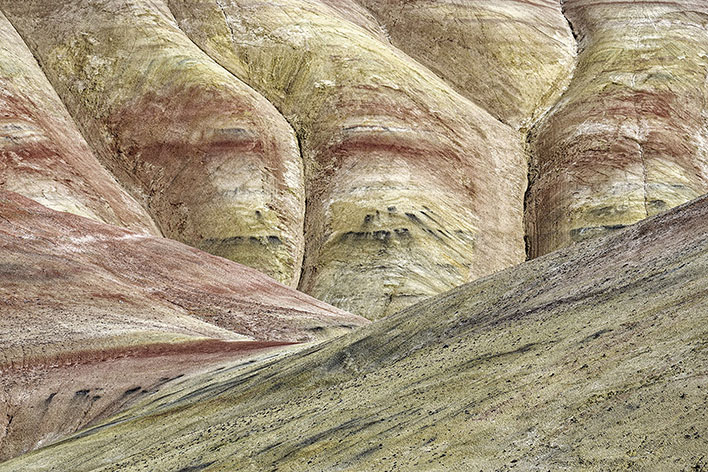
Landscape & Nature: John Day Fossil Beds

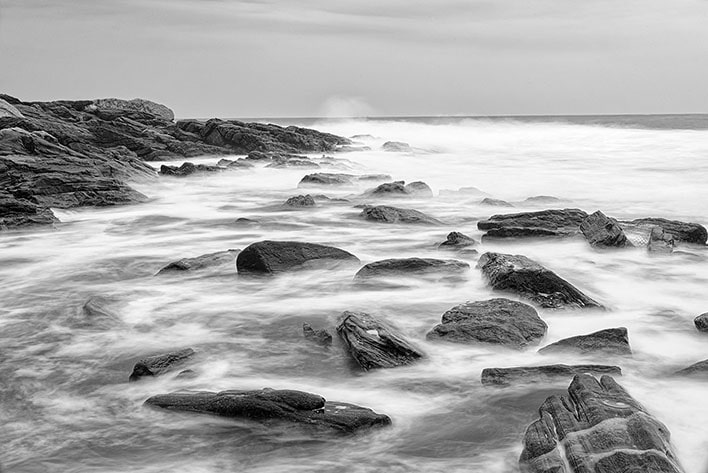
Landscape & Nature: Pemaquid Point Slo Mo Surf

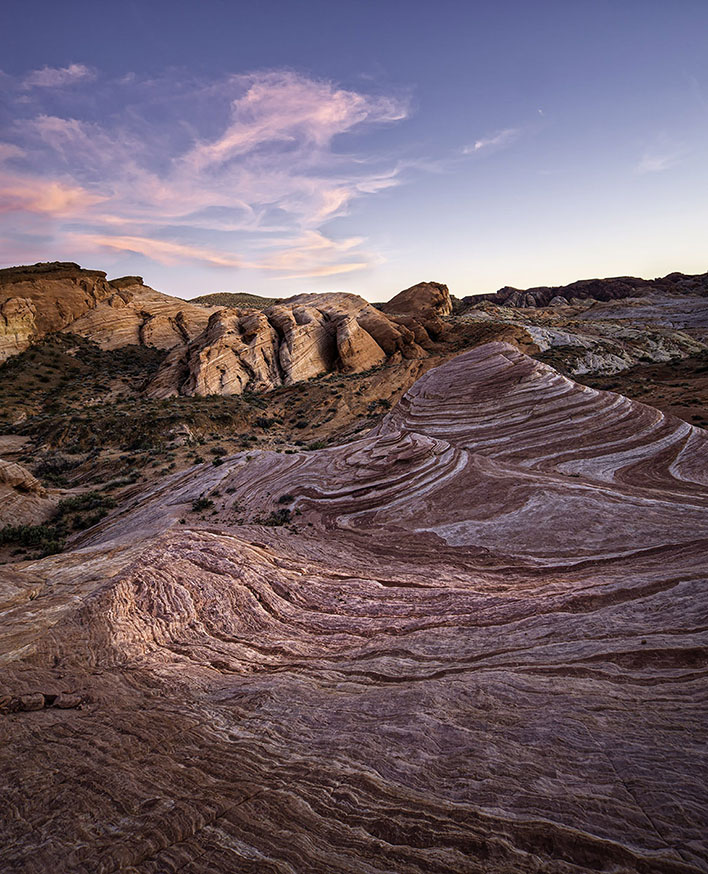
Landscape & Nature: Pink Sunset Valley Of Fire

Landscape & Nature: Spring Flood Oxbow

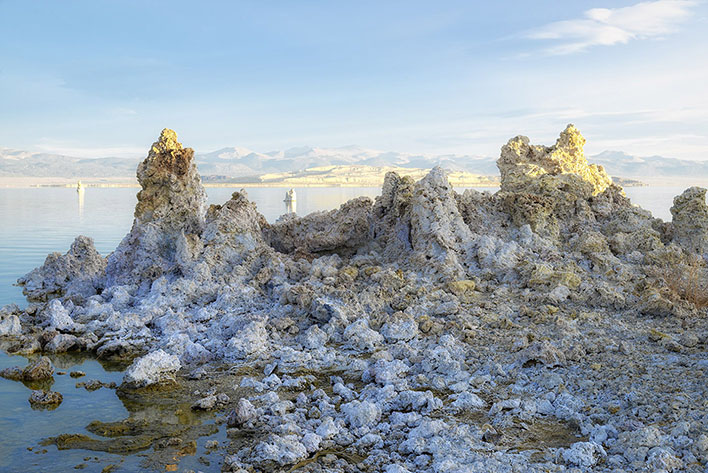
Sunset Mono Lake Glamour Glow

Speaking of landscape photography, years ago, I hosted a guest blog post by Brett Stoddart about being an Urban Landscape photographer. Check that out.

Paul Hetzel's Camera Gear

Nikon D850 [Affiliate Link]

Sony RX10 III [Affiliate Link]
Filed Under: Home Middle Right, Interviews, Photography, Podcast Tagged With: digital photography, landscape photographer, landscape photography, learning photography, making prints, massachusetts, medical oncologist, nature photographer, nature photography, photo arts xchange, photo inspirations, pursuing photography, springfield

Do You Have Any Pixel Cents?

October 28, 2015 by Seshu | Editor & Publisher

Melissa Welsh, Victoria, British Columbia Photographer

Melissa Welsh is a lot more than a photographer. She is a problem solver. Especially, if it is a problem photographers are having.

One major topic of contention among photographers is how to respond to clients who ask for digital files. If you are reading this post, I know you have had a client who has asked or demanded for “their” digital files. And, you have struggled to find the right words that will satisfy both them and you.

Am I right?

Most of the wedding industry now “gives” the files to the couple. Some portrait photographers sell the files. Some photographers bundle it with other products. There isn't one industry standard that makes everyone happy. Either the clients are miffed because they were expecting or assuming the files would be included in the fee, or the photographer is upset because she or he is now having to deliver more value with no or a negligible monetary return.

Something had to be done and Melissa Welsh, a Victoria, British Columbia photographer with 20 years of experience as a photographer set out to find a solution that will be a win-win for all. Information about the Pixel Cents app is available here.

So what is this elixir? It's called Pixel Cents. It's both an ebook and a iOS application. The ebook is smartly bundled together with a few other tools you will find useful.

Photographers can use our industry standard cents per pixel (cpp) rates and calculate the value of their photos for all types of personal, commercial, editorial and advertising photo use.

A few weeks back, when Melissa was about to launch Pixel Cents, she emailed a bunch of her friends to introduce the idea to us. Some of us received the Pixel Cents ebook to read in advance and to possibly review.

Most often, I download an ebook, I let it sit for a few days before reading it. Pixel Cents was different. I dove in and couldn't stop reading it. If you could have seen me then, I was nodding in agreement to what Melissa has written. It's a well-crafted, lucidly written alternative to the craziness that is currently our lives. I quickly wrote back to her and asked if she would spend a few minutes speaking to us about her big idea – Pixel Cents. So click the video below and watch the interview:

Pixel Cents is bringing both efficiency and profitability to my family portrait photography business. And, I am no longer struggling to explain whether digital files are or are not included. Who wins? Everyone. Clients receive their files and I am compensated fairly. Hand wringing is history.

Need more convincing? Here in a nutshell is Melissa's solution.

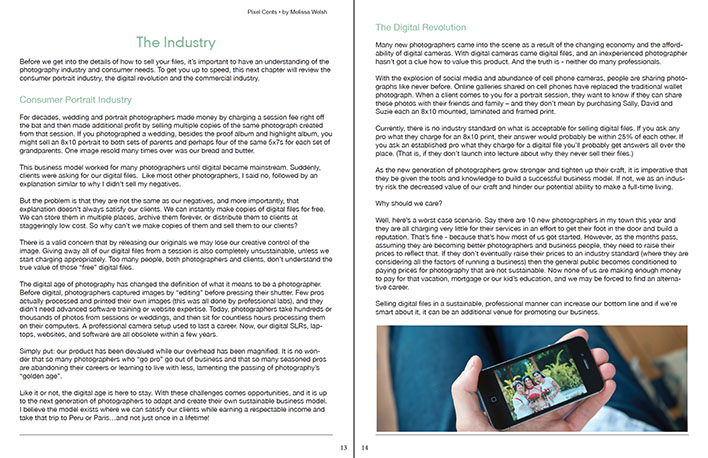
The Pixel Cents Formula is the simple, easy way to value your photographs for personal, advertising, editorial and corporate use.

Pixel Cents by Melissa Welsh

I trust this post will stir a pot a bit and we are all open to having a healthy dialogue here. So, comment below. We would love to hear from you. If you buy Pixel Cents, let us know what you think. Could this business model be the new industry standard? I really think so.

Pixel Cents by Melissa Welsh

So, let me ask you again, do you have any Pixel Cents?

Filed Under: Business, Featured Post of the Day!, Interviews, Photography Tagged With: digital imaging, digital photography, Industry Standards, Melissa Welsh, Pixel, portrait photographers

Using Sexy Light On The Beach

July 14, 2014 by MP Singh

Behind The Scene Look: How I Got That Shot

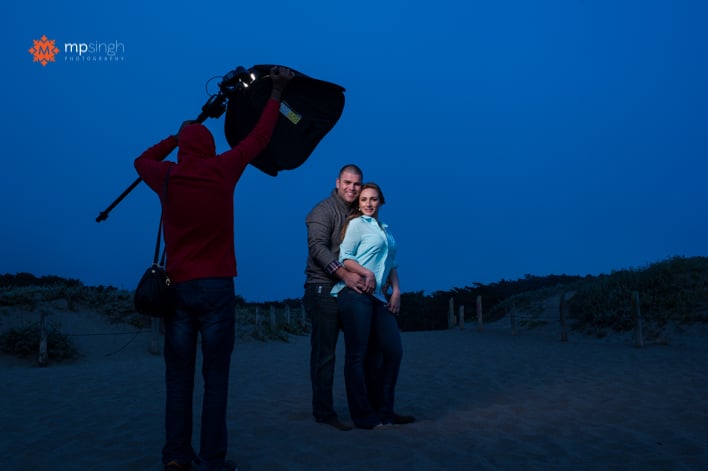
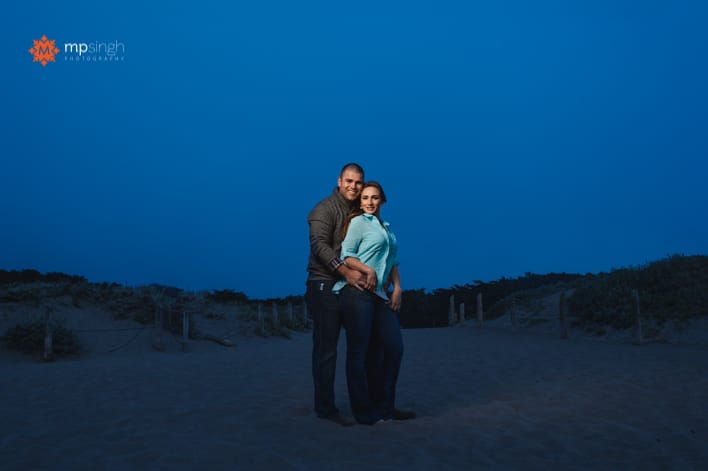
The image you see below was created as part of an engagement session. It was towards the end of shoot when we were at a beach and sun had already gone down. The park visiting hours were already over and there was a cop driving everyone out. And it was cold, the chill factor in the wind was sending shivers down our spines. We quickly grabbed couple of shots and drove out of the park.

MPSingh Photography - Couple On The Beach

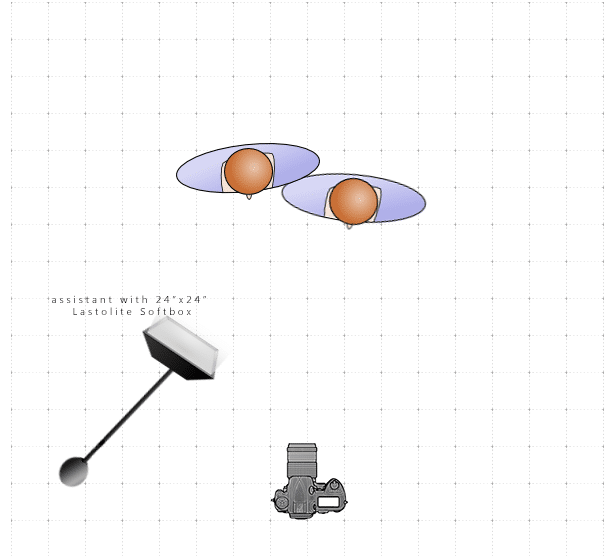
This shot was taken with the help of an off camera flash, Nikon SB900 inside a Lastolite 24″x24″ softbox, triggered with my trusted Pocket Wizards. The following is a lighting diagram showing the set up for this shoot.

MPSingh Photography - Couple On The Beach Lighting Diagram

The flash had a full cut CTO (color temperature orange) gel on it. I wanted to give the feel for the post dusk bluish night sky. So I turned my camera to tungsten white balance. This gives the blue tint to the whole image. To compensate the blue tone on the subjects and bring the skin color back to normal yellow/orange tones, the flash had the orange gel on it. The full cut CTO gel fully compensates for the tungsten white balance.

Another challenge was that we required the light to be very close to the couple and we wanted wide angle shot to include more of the background for context. So the assistant was in the picture.

MPSingh Photography - Couple On The Beach

The Photoshop Work

To fix that we took two shots, one with assistant lighting the couple and in the shot. Before the second shot, the assistant ran out of frame and switched off the light. So the second shot was taken with the couple without any light. Once we take these two shots it is very easy to do a composite in Photoshop:

1. Open both the images in Photoshop as layers, with the image with assistant as the top layer.

2. Auto align layers (Edit –> Auto-Align). When we don't use a tripod there is always a slight movement of the camera and the frame changes. To compensate for that, we have to align the layers.

3. Once the layers are aligned, select the top layer and use layer mask to mask out the assistant. Now we are using everything else from this layer except area where assistant was. That area is picked up from the layer beneath.

4. Make other changes as required.

And, voilá, we have our final image. Do you have any questions? Feel free to ask below!

Filed Under: Home Middle Right, Lighting, Photography Tagged With: adobe photoshop, camera flash, Color Gel, digital photography, Flash, image processing, Layers, off-camera flash, Orange Gel, photographic lighting

Mastering Lightroom, E-Book Series On Sale Right Now!

June 11, 2014 by Seshu | Editor & Publisher

Andrew Gibson is a prolific photographer and writer. He currently has all three of his ebooks on mastering Lightroom on sale right now. You will find them on Photo Dough, but hurry as time is very limited.

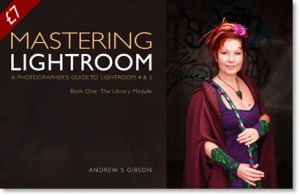
Mastering Lightroom Book One: The Library ModuleMastering Lightroom Book One: The Library Module – save 36% – buy it for only $7

“Learn how to use the Library Module to import, organise and search your images. This important task lays the foundation for all the work you do in Lightroom. Mastering the Library module ultimately saves you time, which you can spend either in the Develop module or with your camera. Either way, you end up with a streamlined workflow and more hours to be creative.”

Learn more about this ebook here.

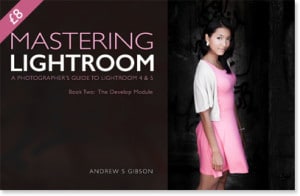
Mastering Lightroom: Book Two – The Develop ModuleMastering Lightroom: Book Two – The Develop Module – save 36% – buy it for only $9

“Discover how to use the tools in the Develop module to get the most out of your Raw files. It builds on the lessons learnt in Mastering Lightroom: Book One – The Library Module and shows you how to use Lightroom’s powerful features to creatively process your images. You’ll be amazed how easy Lightroom is to use once you’re familiar with it and just how much it speeds up your workflow compared to other applications.”

Learn more about this ebook here.

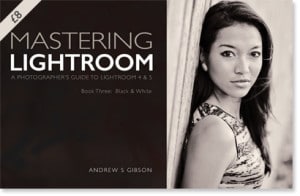
Mastering Lightroom: Book Three – Black & WhiteMastering Lightroom: Book Three – Black & White – save 43% – buy if for only $8

“A complete guide to using Lightroom to create powerful and extraordinary black and white images. This ebook teaches you first to see in black in white, then how to convert your photos to monochrome using all of Lightroom’s advanced tools. It also takes an in-depth look at the Silver Efex Pro, Perfect Black & White, Exposure 5, DxO FilmPack 4 and Black & White Effects plug-ins, explaining how to use each one. It finishes with three case studies showing how I converted colour images to black and white in Lightroom.”

Learn more about this ebook here.

I have bought and really loved Andrew's other books, Mastering Photography and Square. He has an uncanny ability to explain and instruct in a very simple manner. I look forward to diving into these Lightroom ebooks myself. For a grand total of $24, you can get started on using and may be even mastering Lightroom.

Will you join me?

Filed Under: Books, Education, Photography Tagged With: Andrew Gibson, Book Series, digital photography, E-books, Learn Lightroom, Lightroom Book, Masters Photography, Using Lightroom

3 Companies That Are Disrupting The Photography Industry

September 4, 2012 by Jimmy Moncrief

This is a guest post by Jimmy Moncrief, a wedding photographer in Chattanooga, Tennessee, and co-founder of Ciderr.

Every decade there is a new technology that usually disrupts an industry. Ten years ago, there was a max exodus from film to digital due to the rapidly falling prices of digital cameras and the rapidly declining costs of post-production in digital format. Yes, I understand digital photography was around earlier than this, but digital really gained traction about ten years ago.

A couple of days ago, I was very fortunate to speak with Mike Hanline, the President of WHCC. I was fascinated by the fact that his lab went completely digital in 2000. This prescient move, was well ahead of the industry. Now, WHCC is an industry leading lab provider because they embraced new technology ahead of their time. Below are three companies that are disrupting the photography business with new technology.

“The status quo sucks.” – George Carlin

Ciderr – big brands have always used wedding registries to increase brand awareness and to increase sales. Ciderr, now gives that power to photographers and other wedding vendors. Ciderr, lets businesses upload their products and services in a registry. All high-quality wedding vendors get some variation of this email: “I love your products, but can’t afford them.” Now they can! The wedding vendor, can offer the bride and groom a personalized registry. The bride and groom pick the products and services they want, and then create their personalized registry. Then the bride and groom share the link via email, facebook, and twitter and get their friends and family to help pay for that portion of the wedding!

Ciderr by Jimmy Moncrief

Pinterest – yes, it’s significantly smaller than Facebook and Twitter. The media reports traffic to be in a range of 10-15 million, while Facebook has over 850 million and Twitter has over 100 million. However, it has better referral traffic for your website. Shareholic.com reported in July that referral traffic from Pinterest was greater than Twitter, SumbleUpon, Bin and Google! Essentially, this means Pinterest might bring a smaller amount of traffic to your site, but it will be higher quality.

Pinterest Screen Shot

I love how Melisa Jill organizes and displays her photography on Pinterest.

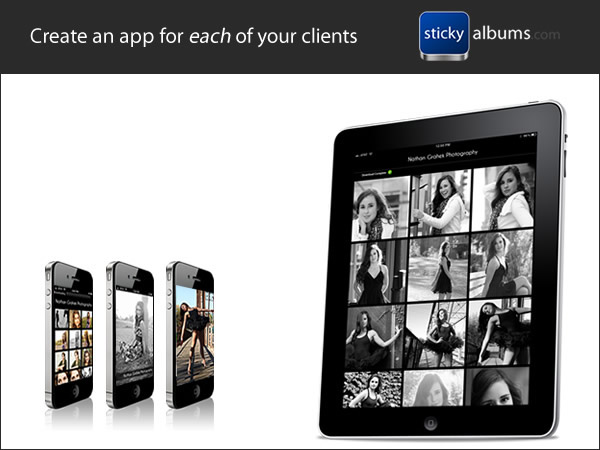
Sticky Albums – Sticky Albums lets you create digital photo album – which your clients can save to their iPhones and iPads as a separate app. This is how the vast majority of clients want their app anyway, so it is a great convenience for the client. The best part however, is how this service helps your marketing. All the photographs include your logo! So when the client shares these pictures, your brand is being marketed.

Sticky Albums

In summary, photographers are in a great position to embrace new technology for marketing and establishing a competitive advantage. I would love to hear in the comments how photographers are using the above mentioned resources for their photography business. Also, please let me know of any other innovative businesses out there helping photographers grow their business.

Filed Under: Business, Photography Tagged With: Business, ciderr, digital media, digital photography, disrupt, jimmy, moncrief, photo sharing, Photography, Photography Business, photography industry, pinterest, Wedding Photography

  • 1
  • 2
  • 3
  • 4
  • Next Page »

Subscribe To Tiffibox Treats!

Looking for a well-curated email newsletter that will leave you inspired and motivated about your photography business? Sign up below!

About Seshu

Seshu creates relaxed portraits of families and high school seniors in Avon, Connecticut. He also leads a successful headshot photography studio in Connecticut, helping professionals from a variety of disciplines project the very best versions of themselves. He created Tiffinbox as a way of inspiring photographers, to create better images and successful businesses. [Read More]

Email Templates For Headshot Photographers

Email Templates for Headshot Photographers

Recent Posts

  • How Capture One Changed My Event Photography
  • 10 Steps To Stay Positive In Times Of Great Stress
  • Why You Need To Read “Personal Branding For Photographers” Now
  • How To Master Your Website Content Step By Step?
  • Tony Taafe’s TNT Method For Headshot Photographers

Recent Comments

  • Stephen Davison on Are You A Business Owner Who Is Smart, But Stuck?
  • Ben A. on Don Giannatti Clinches The 8th Annual Tiffinbox Award
  • Dan on Don Giannatti Clinches The 8th Annual Tiffinbox Award
  • Donald Giannatti on Don Giannatti Clinches The 8th Annual Tiffinbox Award
  • Stephen Davison on G.E. Masana’s 6 Strategies For Wedding Photography Success
  • Naveen Kumar on Weddings In India Are More Than Being At The Right Place And At The Right Time
  • kartick on Weddings In India Are More Than Being At The Right Place And At The Right Time
  • Leonid Farbman on 6 Uncommon Trends To Grow Your Photography Business
  • Willow and Finch Wedding Photography on 11 Reception Tips To Help Your Wedding Photography
  • Web Designer Malaysia on How To Optimize Your Squarespace Website For Search Engines
  • Creastan on An Interview With Photojournalist G.M.B. Akash
  • Cindy Brown | Atlanta on An Open Letter To A Local Photographer

Become a Patron!

Copyright © 2026 · Tiffinbox · Site Design by Heather Mackan Creative · Built on Genesis