• Photography
  • Interviews
  • Business
  • Reviews

Tiffinbox

Inspiring Photographers

  • Home
  • About
  • Blog
  • Contact

Enrollment For “No Stress WordPress” Course Opens

February 27, 2018 by Seshu | Editor & Publisher

Why The Stress?

Let me assure you that you aren't the only photographer to have issues launching your website. Go to any photography conference or even a local gathering, and you'll hear a common refrain: “I'm working on my website.”

That's code for: “I am still trying to figure it all out.” And there is absolutely no judgment, ok? I am in the same boat as you.

Let me break it to you gently – a lot of photographers like you and I are finding it challenging to establish a presence online. Yes, WordPress is a ubiquitous platform and you may have heard that one can easily optimize WordPress websites for search engines. All true, but designing one from scratch isn't always easy or fun. And you can only watch so many YouTube videos to chase down the exact solution you are looking for.

I have to admit that WordPress templates are wonderful and they are a great way to start one's web design. But they can be limiting, if you don't know the in's and out's of WordPress. So, if you are a photographer who needs to gain back control of your domain, pay close attention to what I am about to say.
No Stress WordPress: Dave Foy's Course For Non-Coders

No Stress WordPress

Dave Foy of Design Web Build just reopened enrollment for his course, No Stress WordPress. It's open for a very limited time, until Friday of this week.

If you are even remotely interested in understanding how WordPress works but think you will need to be neck-deep in code, think again. Dave Foy has worked as a web developer for 14 years. Before that, he was a primary school teacher in the United Kingdom.

In his course, No Stress WordPress, he will teach you to design your website using WordPress and a plugin called Elementor. The instruction is comprehensive without it being overly challenging. He walks you through a “starter site” that you can then reuse again and again. He walks you through the jargon, truly making the experience stress-free. And I personally like the way he teaches. The course is very well structured and moves at a pace that is just right. While I may have used WordPress for a number of years, I discovered a lot of new and useful information. In fact, Tiffinbox (this website) will be redesigned using the steps he has outlined in his course!

Interview With Dave Foy

I spoke with Dave Foy at length about “No Stress WordPress” today:

If you have considered designing a website for your photography business, but you found yourself stuck in the process, this post provides you with a solution that you simply cannot ignore. Sign up now for No Stress WordPress. If you wish to split your payments, there is that option. However, if you are ready to make changes now, you can receive some fast-action bonuses if you commit to this course before March 1 at 5 pm EST.

On The Fence?

Still on the fence about “No Stress WordPress“? I understand the trepidation. However, do know that it is a one-time purchase and Dave Foy routinely updates the course when changes are required. Plus he is incredibly responsive to your questions in his private Facebook group. Lastly, to just get a taste of his teaching style, I implore you to check out his free mini-course. Just watch one of the four videos and then decide if his teaching style and the content is what you need to finally finish your WordPress-based website.

Full Disclosure

Yes, the links for the course, No Stress WordPress, are affiliate links. As you know I only promote the very best resources to you after diving into it myself. And in this case, I paid the full price of this course when Dave launched it back in November. I believe wholeheartedly that when you sign up and do the work, you will easily experience a five to 10 fold return on your investment. Plus, with the course being updated all the time, you don't need to worry that you have bought yet another course that has gone stale. Dave is committed to teaching and staying current with the latest advances in WordPress and the Elementor plugin.

Filed Under: Design & Illustration, Featured Post of the Day!, Marketing, Photography, Web/Tech

Fundy’s Tips For Designing Stress-Free Wedding Albums

November 1, 2015 by Seshu | Editor & Publisher

How many of you don't offer portrait or wedding albums because you either don't know how to design them or you believe they are too cumbersome to lay out?

This is what I believe: You aren't truly serving your clients if you simply photograph their event and hand them their digital files (don't do that, do this instead)

You can easily overcome your fear of designing and printing your album because there are new tools today, like Fundy Album Designer, that make it super simple to do so. Yes, design and send the files to your favorite album manufacturer.

Look, years ago, I stumbled upon a free option. I was new. I like the sound of free like the next guy and so I dove in. I created a 56 page wedding album from scratch. The software was buggy, the support was spotty at best and my client was PISSED.

To top it off, some alignment had shifted and a bunch of images were somehow sent off-kilter on a bunch of pages. Yikes! Green behind my years, I was panicked and frustrated of course. I didn't want to lose the confidence of the client even though the emails back from the groom (the bride had given up on me) sounded angrier and angrier.

So, the album arrived and yes, it was full of errors and mistakes – some caused by me but some also caused by software that simply did not work. As I held the errant album in hand, I learned a lesson that day. Trusting a free app to do your work is extremely dangerous. While the buck stops with you, the photographer, seeking out an album design company that will stand by its product was paramount.

Andrew Funderburg - ShootDotEdit Webinar - Lightning Fast Album Design Techniques

This was about the time that I heard Andrew Funderburg was going to launch a new product that would solve the very problem I was having. That product was of course version 1.0 of Fundy Album Designer. Since then, the app has morphed into something truly fantastic. In addition to designing albums, it is now closely integrated with a bunch of labs and album manufacturing companies. Anytime something is “off” and I am notified right there on the screen.

For a portrait or wedding photographer, this is truly a wonderful time to get into quickly designing and printing your client's family heirloom. Let that sink in a bit. You are responsible for creating a piece of art that will remain with your clients for ages and will likely get passed on from generation to generation. Wow! Doesn't that create the warm and fuzzies inside of you? I think of my clients as grandparents showing off their albums to their grandchildren. An awesome responsibility but the work it takes to put those albums together should not stress you out.

I spoke with Fundy (as he is known to his friends) about this and other topics dear to our hearts:

Now, I didn't speak with Fundy about stress-free album designing because our connections run deep or because I am being compensated (I am not, except for receiving a copy of his program to review).

I spoke with him because I believe Fundy Designer can radically change your business, giving you more free time to spend with your family and making your clients genuinely happy with your service.

Want to learn more about easy-as-apple-pie album designing? Check out this free webinar on November 4th, thanks to ShootDotEdit. Register for it now. Even if you can't make the live call, the recording will be made available to you.

Be sure to bookmark ShootDotEdit‘s free content page where you can find guides, webinars and case-studies that are extremely useful for photographers just like you.

Filed Under: Album Design, Design & Illustration, Home Middle Right, Interviews, Photography Tagged With: Albums Design, Design Album, Design Company, Design Wedding Album, wedding albums, Wedding Photography, Weddings Photographer

Daniel Usenko, SmartAlbums & Designing Albums For Your Clients

December 2, 2013 by Seshu | Editor & Publisher

On November 17th, I excitedly published a post about SmartAlbums here. I was given access to the beta version of the program that allows photographers to quickly and efficiently design albums for wedding and portrait clients.

When I connected with Daniel Usenko, a wedding photographer based in Seattle who is a part of the team that created SmartAlbums, I asked to speak with him at greater detail about the program and how it is positioned to help photographers speed up the album-creation process.

So here is that chat:

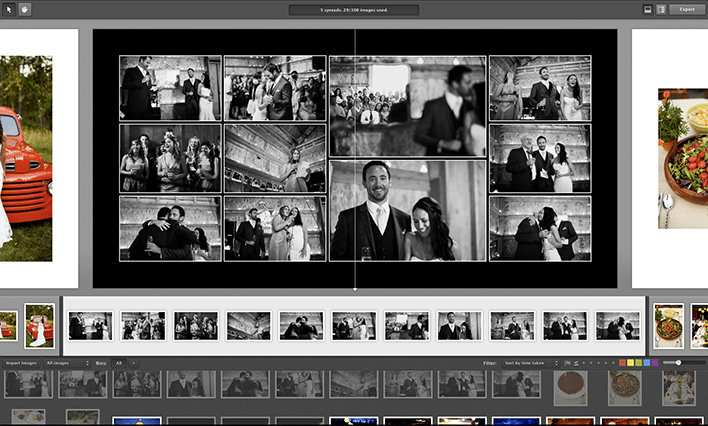
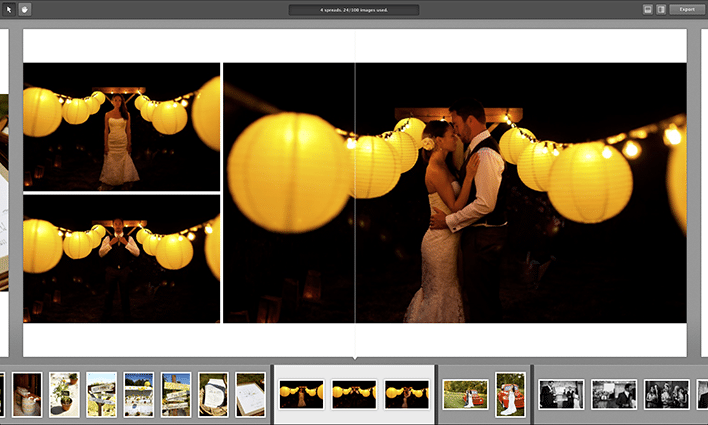
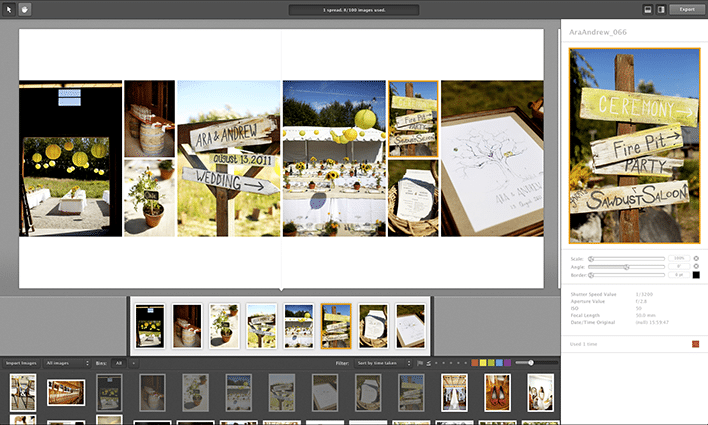
Here are some screenshots from the SmartAlbums program:

SmartAlbums

SmartAlbums

SmartAlbums

SmartAlbums

Do know that there is a special sale going on right now through 11.59 pm PST (that's west coast of the US, for my international friends) for $199. The price will jump to $299. From what I have seen, I do recommend locking in the lower price now and buying SmartAlbums. Click the graphic below now.

SmartAlbums Black Friday Cyber Monday Special Price

Will you be using SmartAlbums in 2014 to design albums for your photography clients? Let me know below!

Filed Under: Design & Illustration, Home Middle Left, Photography, Web/Tech

Photography Concentrate Offers Special Black Friday Deals For Photographers, Ends Nov. 29

November 24, 2011 by Seshu | Editor & Publisher

In the US, you are all just about ready to sit down and have a good meal with your family and friends. Here's wishing you a very Happy Thanksgiving, from my family to yours.

What comes next is usually considered the biggest SALE day of the year, or Black Friday. I haven't done that 2 am mall run in ages and have no desire to send you looking for stuff at such a witching hour either. Life isn't a scavenger hunt. Instead of buying “stuff” that will collect dust in no time, how about giving your brain a boost and learning some new techniques or getting your photography fundamentals down?

Photography Black Friday Sale

Full disclosure: Rob & Lauren of Photography Concentrate are friends. I love their products, I have used them myself and have learned a tremendous amount from them. Yes, even professionals need to keep learning. All the time. So the links you will find here are all affiliate links.

essential_camera_skills If you are just beginning to use your digital camera, consider buying Extremely Essential Camera Skills. Regularly priced at $49.95, if you buy it before November 29 (midnight), you'll save $19.98. I reviewed this gem of an ebook (comes with videos to explain a few necessary fundamental things about your camera) and everybody who has bought it through my affiliate link has thanked me later. With a whole lot of you buying cameras – be they point & shoot or DSLRs, you'll want to get this truly foundational course to get you going.

Once you have your photography skills down pat, you'll need help with editing them. The team at Photography Concentrate have a tutorial called Super Photo Editing Skills. It too is on sale. Instead of paying $79.95, you can buy it for $47.97, saving you $31.98. If you ever wanted to learn how to use Lightroom, this is a great video tutorial. What's awesome is that you can pause it, rewind and watch it again and again until the concepts and the steps make sense to you.

photo editing tutorial album design tutorialWhen you are done editing your images, you have a couple of choices. You can save them on hard drives or you can share them with the world. Albums are always a good choice because they have staying power. Awesome Album Design Skills, is another tutorial that Rob and Lauren have produced for portrait and wedding photographers. They show us how they use InDesign to quickly and efficiently create custom albums for their clients. This too will be selling for $47.97 through the end of November 29th, so you'll want to jump on this deal if you are ready to go pro. It's regularly priced at $79.95.

In addition to the sale, Photography Concentrate has a new free eBook – The Camera Buying Guide (do they just think of everything?) and giving away a Fuji Instax camera (brings you back in time to your Polaroid days doesn't it?).

Please remember that the sale starts NOW and ends on November 29th at midnight EST. If you do buy these products, please come back here and let me know what you thought about them. Your feedback is valued greatly.

Filed Under: Design & Illustration, Photography, Photography Workflow Tagged With: adobe photoshop lightroom, buy camera, camera, concentrate, digital camera, digital cameras, digital photography, digital single lens reflex camera, photographer, Photographers, Photography, photography skill, sale, special deals

Using Negative Space When Designing Albums

February 8, 2011 by Justine Ungaro

Based in Los Angeles and Washington DC, Justine Ungaro has been photographing weddings and portraits in her own clean, classic style since 2003. This is her first guest blog post on Tiffinbox.

“The pictures are so small on the page and there is too much white space”.

Every time I receive one of these emails, I die a little bit inside. You know the ones I'm talking about because you all get them too. Usually from the mother of the bride or groom about her album design that you labored over for hours. Sometimes even from the bride or groom themselves. And as much as it just drives me crazy it's really not their fault. As photographers we are highly visual people. We notice the tiniest nuances and subtleties of light. We stare at compositions and dissect how we coulda, shoulda done it better. We are very hard on ourselves.

But sometimes we need to remember that our clients (usually) are just not as visually sophisticated as we are. Sometimes we need to educate them, try to change their minds, show them that we know what is best for them. And sometimes it's better to just give in. It is their album after all. But rarely do I give in without a little bit of a fight. I want my white space. But whether or not I win or lose any particular album battle is beside the point. It brings up a very good question. Why is negative space important?

Now although I do design albums, I don't consider myself a designer. Still, despite being a non-designer I do try to incorporate what little I do know about good design into my albums…and that is balance, tension and flow. I want to lead my viewer across the page in a way that makes sense. I also want to make them work for it just a little bit and I want the pages to feel nice and balanced. Generally this is not accomplished by just cramming tons of images onto a page. Simple and clean is elegant, sophisticated and classic.

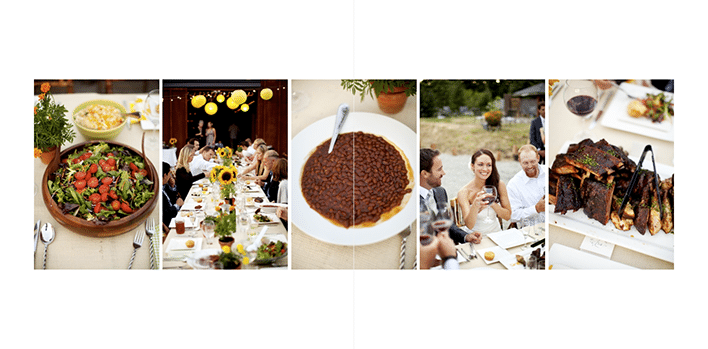
Queenberry Musee Album by Justine Ungaro

Queenberry Musee Album by Justine Ungaro

(Both images above are of Queensberry‘s newest album offering, the Musee)

Why else is negative space important to us? If you look around at advertisements for various products, you can tell immediately which ones are cheap, mainstream or just unabashedly pedestrian. They are the ads that are full of stuff: pictures, clunky logos, too many fonts & colors; they look messy. If you look at advertisements for luxury products or services, they are almost always clean and simple and full of what? That's right, negative space.

So I know that we're all in different positions in our various markets. Not everyone serves a high-end market. But if you do or if you're a social climber, consider the types of visual stimulus that appeals to your ideal clients. Speak to them non-verbablly through your branding and through your albums. If you want to reach a wealthier clientele, consider whether or not you're using the power of negative space to your advantage.

Filed Under: Album Design, Design & Illustration, Weddings

  • 1
  • 2
  • 3
  • …
  • 6
  • Next Page »

Subscribe To Tiffibox Treats!

Looking for a well-curated email newsletter that will leave you inspired and motivated about your photography business? Sign up below!

About Seshu

Seshu creates relaxed portraits of families and high school seniors in Avon, Connecticut. He also leads a successful headshot photography studio in Connecticut, helping professionals from a variety of disciplines project the very best versions of themselves. He created Tiffinbox as a way of inspiring photographers, to create better images and successful businesses. [Read More]

Email Templates For Headshot Photographers

Email Templates for Headshot Photographers

Recent Posts

  • How Capture One Changed My Event Photography
  • 10 Steps To Stay Positive In Times Of Great Stress
  • Why You Need To Read “Personal Branding For Photographers” Now
  • How To Master Your Website Content Step By Step?
  • Tony Taafe’s TNT Method For Headshot Photographers

Recent Comments

  • Stephen Davison on Are You A Business Owner Who Is Smart, But Stuck?
  • Ben A. on Don Giannatti Clinches The 8th Annual Tiffinbox Award
  • Dan on Don Giannatti Clinches The 8th Annual Tiffinbox Award
  • Donald Giannatti on Don Giannatti Clinches The 8th Annual Tiffinbox Award
  • Stephen Davison on G.E. Masana’s 6 Strategies For Wedding Photography Success
  • Naveen Kumar on Weddings In India Are More Than Being At The Right Place And At The Right Time
  • kartick on Weddings In India Are More Than Being At The Right Place And At The Right Time
  • Leonid Farbman on 6 Uncommon Trends To Grow Your Photography Business
  • Willow and Finch Wedding Photography on 11 Reception Tips To Help Your Wedding Photography
  • Web Designer Malaysia on How To Optimize Your Squarespace Website For Search Engines
  • Creastan on An Interview With Photojournalist G.M.B. Akash
  • Cindy Brown | Atlanta on An Open Letter To A Local Photographer

Become a Patron!

Copyright © 2026 · Tiffinbox · Site Design by Heather Mackan Creative · Built on Genesis