• Photography
  • Interviews
  • Business
  • Reviews

Tiffinbox

Inspiring Photographers

  • Home
  • About
  • Blog
  • Contact

Simi Jois, On Designing Great Food Photography

April 18, 2017 by Seshu | Editor & Publisher

The Food Photographer

Simi Jois, started as a marketing and branding professional but transitioned to becoming a food photographer. Now based in Chicago, Illinois, her food photography has been featured on MSN, Fox News Magazine, Better Homes, and theKitchn. She is a frequent contributor on the Daily Meal.

Raised in an art-emphasized home subconsciously trained her mind to engage creatively with color, texture, light, shadow and composition. Simi uses photographic images as her canvas and the lens as her brush. She did not have to look far for a subject – her passion for creating flavors provided her with infinite permutations of expression. Painting with ingredients, pairing exotic spices for mutual enhancement and richness of flavor, Simi narrates her stories through the play of light and bold strokes of color.

The Interview

A few weeks back, we sat down to chat about her journey as a food photographer:

Interview Highlights

You will learn that:

1) Simi's parents, both artists, inspired her
2) Her becoming a mom was the catalyst for taking up photography
3) She loves to cook
4) Finding comfort in the ingredients, aroma, and texture motivate her to try different set-ups
5) Her other inspiration are painters from the Renaissance period
6) Simi is creatively challenged to produce photographs that don't look overly styled
7) How the power of observation in day-to-day events and places can help your photography
8) She loves to play with light and uses speed lights, reflectors, and Nikon cameras
9) She is intrigued by shadows just as much as the light
10) How a simple garnish of mint on blueberries can create a punchy image

Simi Jois' Food Photography

Food Photography by Simi Jois

Food Photography by Simi Jois

Food Photography by Simi Jois

Food Photography by Simi Jois

Food Photography by Simi Jois

Food Photography by Simi Jois

Additional Resources

Check out Simi's tutorial on painting prop boards.

Do you want to learn more about food photography? Check out the CreativeLive courses offered here.

Lastly, Don Giannatti is offering a spectacular 8-week food photography course that you simply can't pass up. For $75, it is a no-brainer and in my opinion, there is no better photography instructor to guide you through this wonderful genre of photography.
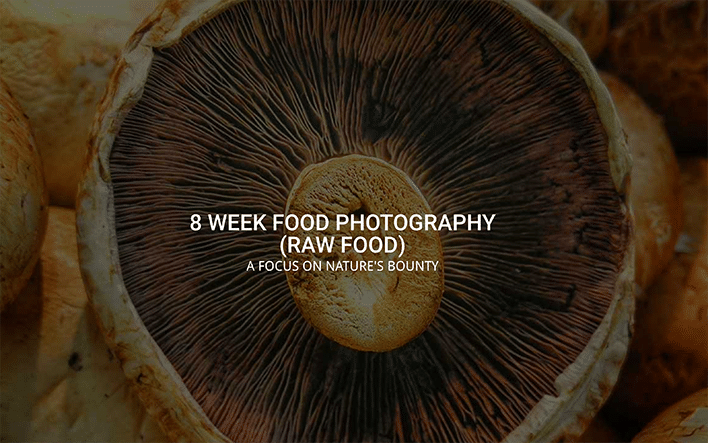
Don Giannatti's Food Photography Course

Filed Under: Food and Drink, Home Middle Right, Interviews, Photography Tagged With: chefs, chicago, closeups, cooking, designing, food photographers, food photography, Lighting, planning a shoot, shadows, style, top-down

What’s Fundy Designer & What’s New With Album Builder V.6

January 30, 2014 by Seshu | Editor & Publisher

If you have been at it as a wedding photographer, you've at one point or another wanted to create a wedding album for your clients. The process can be tedious, long and overly stressful.

Andrew Funderburg, or at least his company, Fundy Software, is a household name now. I interviewed “Fundy” several years back when I was attending the Mystic Seminars. His programs evolve … constantly. His applications Fundy Album Builder and Fundy Album Proofer are, by a very wide margin, the industry leaders in their respective niches.

I heard from Fundy that he was working on something revolutionary. In most other cases if someone came up to me and dropped that kind of language, I would be very skeptical. Not in Fundy's case because he has time and time again delivered on that promise and made the lives of thousands of photographers more efficient, and perhaps even more meaningful.

Andrew Funderburg, Fundy Designer & Album Builder, V6

When you have an opportunity to interview the guy who defines and directs how wedding photographers run a major part of their business, you jump at the opportunity to see what he is cooking up next. Fundy and I sat down and chatted and he shared his screen with me, showing me the various features of Fundy Designer & Album Builder version 6.0.

The video is long, but well worth your time, if you are considering either buying or upgrading from your current version of Album Builder. We talk about his beginnings, where his ideas come from, what the new version of the software looks like and what we can expect in the future.

Do note that tomorrow (January 31, 2014) is the last day to upgrade at an insanely low price of $30! It would be absurd if you didn't upgrade.

February 1, early-bird pricing will end. Album Builder v6 will be $329, Upgrades from v5 will be $79, upgrades from v4 will be $179, and upgrades from v3 will be $279.

I believed in Fundy's ideas before he even launched his company and that belief is even stronger after seeing what he is bringing to the table now and what features are planned in the coming months. Frankly, it's time again to be excited about photographing weddings and designing wedding albums with ease, efficiency and elegance.

Filed Under: Album Design, Home Middle Right, Photography, Weddings Tagged With: A Wedding Album, Album Builder, Andrew Funderburg, Art, books, Create A Wedding Album, designing, Fundy, Fundy Designer, Fundy Software, layouts, version 6, Wedding Album Designer, wedding albums

Introducing Design Aglow

June 1, 2012 by Seshu | Editor & Publisher

As wedding or portrait photographers in business, we wear many hats. We are marketers one day, networkers the next. On some days we have sales and ordering sessions, on others we are busy coming up with blog posts or communicating with our clients. At our core, though, we strive to make images that mean something.

There are some things I know I do better than others. What I have no time or inclination for, I typically outsource. I'll confess when I was starting out, the draw of doing it all was much greater. I was convinced I could design my own website, business cards, logo and marketing materials. But I soon came to the realization that designing was simply not my forté. I know great design when I see it, but I can't say I know how to go about creating a concept or crafting it. So who does? Well, a graphic designer who has dedicated their life to that pursuit usually is the best option.

You can work with a graphic designer who will custom design your brand or you could opt to buy a template created by a graphic designer, that you can modify to fit your needs. The first option is an investment with great returns IF you know what your brand is all about and you are willing to stick to that brand for a few years. Downloading a template and changing it to fit your needs, however, gives you the flexibility to change things around as often as you would like, at a reduced cost. Just as there are a great many graphic designers, there are also a great many online options to download templates.

The one I have trusted to deliver the very best products is Design Aglow.

What makes Design Aglow special is that it was co-founded by Lena Hyde, a children's photographer based in West Palm Beach, Florida. As a successful photographer, she knows what works and what does not. She is also acutely aware of what the market (in her case moms) are looking for, in terms of products. In addition to offering design templates, Design Aglow has a bevy of sales tools (like their ProSelect plugins) for professional photographers and productivity applications to keep your studio's workflow in check. For a while Design Aglow was publishing a truly awesome magazine. Perhaps they'll get back into the groove again. The magazine, which is how the site got its start, showcases studios and leaders in the industry through in-depth interviews. I recommend checking out the first 11 issues of the Design Aglow magazine. I am hoping that one of their future issues will be dedicated to photographers who document multicultural weddings. [grin]

As you can tell I am a fan. Nothing more. If Design Aglow has an affiliate program, I am unaware of it, so rest assured this post has not been solicited, nor does it contain affiliate links. As a fellow photographer, I just thought you should give Design Aglow a look-see for your own studio's needs. The downloads are instantaneous and should you hit a glitch, the customer service is top-notch. They are quick to answer questions and engage with you through their very active blog.

If after reading my recommendation, you do buy a product through the Design Aglow site, please come back here and share with us what you bought and how you intend using it. Good luck!

Filed Under: Art & Design, Photography Tagged With: aglow, Design, design templates, designing, graphic design, lena hyde, photographer, portrait photographers, productivity, professional photographers, templates

4 Useful Tips For Designing Wedding Albums

November 17, 2011 by Kate Anderson

Today's guest post is by Kate Anderson of Plumeria Album Design. Kate works with professional photographers to design clean, classic albums that wow their clients while giving the photographer some much needed free time. She lives in Minneapolis, MN. Follow her on Twitter.

Imagine a scene with me for a moment. It's 25 years or so in the future (cue the Back to the Future music now); a woman is looking through boxes in her closet. She's a bit upset, her son's new fiance is looking on. Finally, the woman finds what she's looking for. It's an old iPad, an antique from 2011. The woman looks at it with a loving smile.

“These are my wedding photos from when we were married. I haven't looked at this in so many years.”

Then the smile fades. The woman realizes there is a problem. The battery is long drained from disuse, and the charging cable is no where to be found. They've moved several times since the wedding, and as usually happens, things got misplaced and lost. Amazingly, there is a dvd, with a beautiful photo of wedding rings on it. The backup copy of the photos. But with no dvd drive in her possession for a decade, the woman can't even look at those. Her wedding photos are locked away in a digital purgatory. She can't show her future daughter in law her own wedding.

If you don't offer albums to your couples, this is a very likely scenario in the future. They probably have all the best intentions to print an album, probably at Blurb or Snapfish. But for many, it will get pushed to the back burner and neglected. So it's up to you, their trusted wedding photographer, to make sure they get an album, before it's too late. Printed books never become obselete, technology does. You don't want your brides and grooms to live on their harddrive forever.

But many photographers don't offer albums, for many of the same reasons that their clients won't get around to printing one themselves after they receive their shoot and burn disk. Albums take time if they're to be done well. They have to be put together with a storyteller's eyes. The right photos have to be selected, from hundreds. However, album design doesn't always have to be a panic inducing moment. Here's a few design tips and my process, to help you out.

Don't cram the album with photos

Less is more. Remember that. I like to have only a few photos per page for most spreads, usually around 2-3 per page. This lets each photo have it's own voice. Too many photos crammed on one page gives you a sense of confusion. Your eye darts around the page quickly, rather than calmly resting on each photo for a moment and moving on to the next. Too many photos fighting for your attention all at the same time means none get the attention they deserve, and the message that the photos tell gets lost. Look at a National Geographic magazine, or fine art book; then look at a tabloid magazine. Which feels calmer to your eye? Ignore the content of the tabloid vs the National Geographic.

Designing Wedding Albums - Plumeria Album Design

But with all guidelines, there are exceptions. Some spreads work better with a bit of a denser layout. Spreads of the family groupings and wedding party, or spreads of reception dancing are examples. With family groupings, having several photos per page gives the sense of family continuity. Everyone is together, and the photos are likely to be very similar in composition. That consistency is calming to the eye even when there's many of them. Reception and dancing spreads a bit of the opposite to me. I usually want those to give a sense of energy and excitement. Using a denser layout gives that feeling.

Designing Wedding Albums - Plumeria Album Design

Spreads meant to show action also may get a few more photos per page; the story of the first look can't always be told in a few photos. Spreads that focus on a scene, such as the ceremony site, sometimes need a denser layout also, to show the whole scene in one spread, as if the viewer were there and could walk around to look at different things.

Designing Wedding Albums - Plumeria Album Design

Don't be afraid of the dark/white space

White space is a good thing. It focuses the eye on the photo and eliminates distractions. Think about iconic, high end brands, such as Chanel, Apple or Tiffany's. Their websites and print materials have one thing in common. White space, or negative space. Then think about lower end brands. Their websites and print materials have lots of stuff, everywhere. It's distracting and cheapens the feel.

Also, it's a lot easier to design with white space than to try and fill the page with photos. It's like putting together a puzzle. If you're not afraid of the white space, you can use only the photos that are perfect for the spread, rather than having to add or subract photos to make everything fit. In this spread, having any other photos would have been distracting and taken away from the focus.

Designing Wedding Albums - Plumeria Album Design

Don't fluff up the album

Remember that “less is more” bit? That applies to how long the album is. An album is perfect when nothing can be removed without losing part of the story, and nothing can be added without feeling repetitive. Each spread should have it's own theme, or portray one event. While there may be dozens of great photos of the couple after the wedding in a field, the album doesn't necessarily need all of those photos in several spreads. Pick the best 3 or 4 and create one spread that showcases the best parts of the session. This scene had lots of awesome shots, and I could have easily used several more, it was hard to choose only a few. But adding more would have taken away from the simplicity of the moment.

Designing Wedding Albums - Plumeria Album Design

Do keep it timeless

Wedding albums should be timeless. Simple and clean design is the only “trend” that stands the test of time. Think of the simple black dress, or the basic charcoal gray suit. Those work now, they worked 50 years ago, and they'll probably work 50 years from now. They are simple and clean clothing items. Your album should be the simple black dress. Extra graphics, photo layering, fading, and spot coloring may look cool now, but how are they going to look on the couple's 50th wedding anniversary to their grandkids? Don't give the kids anything more to snicker at besides the clothing and decor trends.

The 5-Step Design Process

Here's what works for me.

1) The first step for me is to download the photos and set up the folders for each album in a client's folder. Here's what my layout looks like:

Designing Wedding Albums - Plumeria Album Design

2) I sort through the photos and make copies of the album selections. Each spread gets it's own folder with a theme/title, and the copied album selections are dropped in. I tag selections in red in Bridge so I don't duplicate, and the main photos of each spread get a star rating.

3) I use InDesign with the AlbumFlow script to design albums. You can also use Photoshop, and I've heard only good things about Fundy's Album Builder [aff] to speed things up. The debate of InDesign vs Photoshop is for another discussion. It's similar to Ford vs Chevy, Canon vs Nikon; they all get the job done in the end, one way or another.

4) Now I go through the finished design to eliminate any problems. I make sure the bleeds and margins are correct, that full bleed photos will be just that, and that all other photos are within the safety zone. I make sure all the photos line up and spacing is consistent. I double check that no one's head or an important detail is going to get trimmed off.

5) Last, the finished design is exported as a PDF using guidelines from AlbumFlow, to create the highest quality print. I then use Photoshop to create JPEGs from the PDF using ImageBrander from FundySOS [aff]. It's a super helpful plugin for easily watermarking and creating multiple sizes and resolutions. I can make full size JPEGs for the album company and smaller ones for the blog, all in one shot.

This isn't the first time we have addressed album design on Tiffinbox. Justine Ungaro talked about it in this post. My question for you is this – are you still stressing out about your album designs? Or, are you blissfully adding images to your pages willy-nilly and hoping that your clients don't notice. Trust me, clients are getting savvier and do know good design from bad. So, what are you going to do? You can hone your skills (if you have time) or you can farm the task out. What would you do? Tell me/us down below. It's not an easy decision. I do know that.

Filed Under: Art & Design, Photography Tagged With: adobe creative suite, adobe indesign, adobe photoshop, Album, album designs, application software, Design, design elements, design tips, designing, graphic design, kate anderson, Photographers, portrait albums, Portraits, proprietary software, steps design process, Tips, Wedding, wedding album, wedding album design, wedding albums, wedding photo, wedding rings, Weddings, white space

Subscribe To Tiffibox Treats!

Looking for a well-curated email newsletter that will leave you inspired and motivated about your photography business? Sign up below!

About Seshu

Seshu creates relaxed portraits of families and high school seniors in Avon, Connecticut. He also leads a successful headshot photography studio in Connecticut, helping professionals from a variety of disciplines project the very best versions of themselves. He created Tiffinbox as a way of inspiring photographers, to create better images and successful businesses. [Read More]

Email Templates For Headshot Photographers

Email Templates for Headshot Photographers

Recent Posts

  • How Capture One Changed My Event Photography
  • 10 Steps To Stay Positive In Times Of Great Stress
  • Why You Need To Read “Personal Branding For Photographers” Now
  • How To Master Your Website Content Step By Step?
  • Tony Taafe’s TNT Method For Headshot Photographers

Recent Comments

  • Stephen Davison on Are You A Business Owner Who Is Smart, But Stuck?
  • Ben A. on Don Giannatti Clinches The 8th Annual Tiffinbox Award
  • Dan on Don Giannatti Clinches The 8th Annual Tiffinbox Award
  • Donald Giannatti on Don Giannatti Clinches The 8th Annual Tiffinbox Award
  • Stephen Davison on G.E. Masana’s 6 Strategies For Wedding Photography Success
  • Naveen Kumar on Weddings In India Are More Than Being At The Right Place And At The Right Time
  • kartick on Weddings In India Are More Than Being At The Right Place And At The Right Time
  • Leonid Farbman on 6 Uncommon Trends To Grow Your Photography Business
  • Willow and Finch Wedding Photography on 11 Reception Tips To Help Your Wedding Photography
  • Web Designer Malaysia on How To Optimize Your Squarespace Website For Search Engines
  • Creastan on An Interview With Photojournalist G.M.B. Akash
  • Cindy Brown | Atlanta on An Open Letter To A Local Photographer

Become a Patron!

Copyright © 2026 · Tiffinbox · Site Design by Heather Mackan Creative · Built on Genesis