• Photography
  • Interviews
  • Business
  • Reviews

Tiffinbox

Inspiring Photographers

  • Home
  • About
  • Blog
  • Contact

The Art Of Delight & Why That Must Matter For Photographers Like You

March 3, 2015 by Seshu | Editor & Publisher

Bill Holland is a wedding photographer in Colorado and blogger at The Art of Delight.

“The Art of Delight helps small businesses design with purpose delightful experiences for their customers. This enables these businesses to not only differentiate themselves in an increasingly heterogeneous marketplace, but concentrate on creating and shipping their art–in whatever form that takes.”

Give this interview a listen if making your customers happy is one of your primary goals! Bill Holland suggests some simple tips to make your client interactions a win-win.

The Art of Delight

The Art of Delight is a blog and a consultancy. If you are struggling with creating positive customer experiences, give Bill Holland a call. He has a remarkable knack for setting things right for you and your business.

Filed Under: Business, Home Middle Left, Interviews, Marketing, Photography

Rachel Avery Conley, Inspire Interviews: Episode 19

February 4, 2015 by Seshu | Editor & Publisher

Rachel Avery Conley is the founder and visionary behind Fotoskribe, an unique blogging service for photographers. While Rachel is based in New England, her clients span the breadth of the country.

Fotoskribe is one of the sponsors at Inspire Photo Retreats this year. We sat down to talk about how Fotoskribe came to be and why photographers who don't have the time, inclination or the skill to write can use their service and rest easy.

Inspire Photo Retreats - February 9-11, 2015, Portland, Maine

Rachel will be at Inspire Photo Retreats, from February 9th through the 11th. Joining her will be Hilary Stock, a WordPress customization expert and fellow photographer. So step up and ask them both about blogging. It is one of the best times to have your WordPress and blogging issues resolved!

These recent blog posts on Fotoskribe's own blog are my favorite:

Writing as a Photographer – Revenge of your High School English Teacher
Photographers are not writers : Tips from a writer on Blogging as a Photographer
4 Tips on Blogging during the Busy Holiday Engagement Season

Filed Under: Blogging, Business, Interviews, Marketing, Photography

3 Ways To Position Yourself As An Expert In Your Field

February 4, 2015 by Cindy Reeves

It’s time to move away from your humble beginnings and start to position yourself as the expert you are. You have the knowledge, the dedication and the vision to be bigger than just a local photographer who takes nice photos.

What exactly is an expert? Experts answer complicated questions with ease. Experts produce inspiring work. Experts are known by name in their industries. Interested? Here are three ways that you can become known as a photography expert.

Option 1: Teach A Photography Class

Teach Photograpy Class

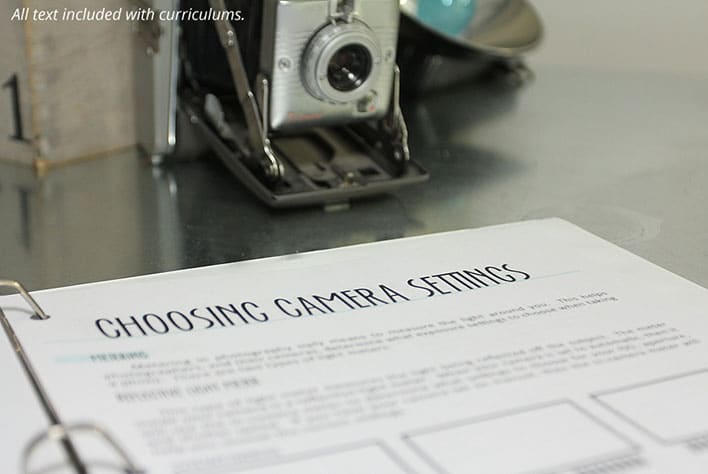
You’re probably thinking, “Ugh, teach?” But, yes! You can inspire students and share your knowledge. Take your enthusiasm for photography and spread it to a class of eager and excited students. You teach, they learn and you become the expert. They will ask you questions about what camera is the best on the market and how to use the settings on a DSLR…what is a DSLR?! Questions you most likely already answer, since you are a respected professional photographer.

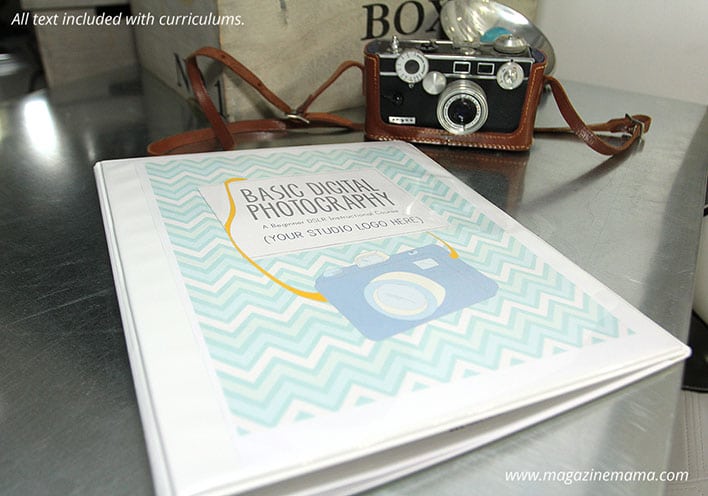
Don’t reject the idea of teaching due to your objection of writing a curriculum. Teaching a photography class isn’t as big and scary as it may seem. Magazine Mama sells ready-made, pre-written teaching plans for photography classes.

Start with the basics – regardless of students’ age. No one is coming to your class as an expert (that’s your roll)! A common question that beginning photographers who purchase a DSLR camera will have is about manual mode. How do you do shoot on manual and what are the benefits? Photography curricula on Magazine Mama start with these exact topics. Photography basics like understanding exposure, shutter speed, aperture and ISO.

Teach Photograpy Class

The key to teaching kids is to start even smaller. Save technical features like aperture, shutter speed and ISO for later on in the course or at an advanced class. Kids are visual. They want to learn something that they can show someone, like the crayon drawing hanging on the fridge. A good place to start is to show them different shooting modes. It’s simple. This exercise shows kids what each mode is by using a picture:

• head = portrait mode
• mountain = landscape mode
• flower = macro mode
• person running = action mode
• a star in the background = nighttime mode

They choose the mode based on one of the subjects from above. After they get the hang of it, you can add in more modes like M, AV, TV and P.

Starting with the basics will never let you down. Build a solid foundation first and then add more complex topics later. Tailor your curriculum to the intended audience. Kids, adults and moms all have custom teaching plans at Magazine Mama. The hard work is done for you. Add your logo and press print. Curricula come in editable .psd formats. Instructions are included.

Option 2: Custom Magazine With Client Articles

Weddings Welcome Guide Template

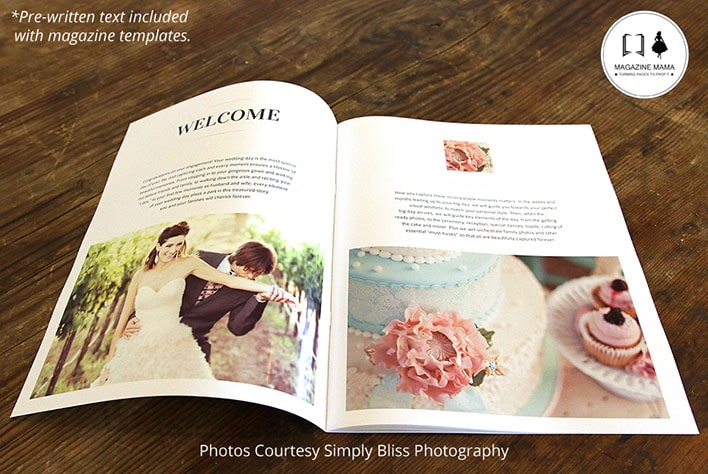
Content in a custom magazine shows your clients your expertise. They accomplish two of the three things experts do: inspire and educate. Lead with inspiration for others. Fill the magazine template with your best work. The work that even you admitted was amazing. These are the photos that will inspire others to take action and distinguish you as an expert.

Marry your artsy self with a client focused business model. Go ahead and let your artistic voice shine in your studio welcome guide alongside your professional client-focused business persona. As we discussed earlier, to be known for something is to share expert knowledge. Show potential clients that you have the experience, eye and knowledge to do the job well and that they don’t need anyone else.

Clients read blogs and pin hundreds of photos to Pinterest before they make final decisions. Whoever they get this information from – they will see as the expert. Give them all of this information in a sleek, creative and informative welcome guide and be THE expert.

Headshots Welcome Guide

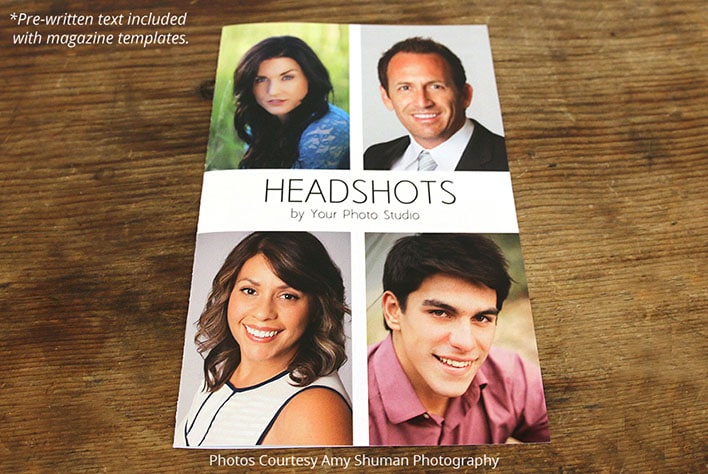
Sharing knowledge helps you help them help you. Magazine Mama has customizable magazine templates with pre-written articles. Topics like “what to wear”, “professional headshots and your business”, and “tips to rock your senior session” are included. These topics help you:

* Answer frequently asked questions
* Educate clients with answers to questions they didn’t know to ask
* Inspire clients to help you take epic photos

Option 3: Go Get Published

Don’t hide your work in a dark, cobwebby corner of your website. It should be front and center. If you want to be known in the photography field amongst the other billion photographers – you need to get your name out there.

The best (and easiest) way to get out there – is to get published. Magazines receive a lot of submissions every day from ambitious and talented photographers like you! And because of that – they are picky. Which means not everyone can bask in the warm glow of a magazine spread. What better way to obtain expert status than by having your images published in a highly respected and widely read industry publication? But, expert status isn’t the only reason to pitch your latest photo-shoot to an editor, it will also help you drive traffic to your website and blog and will give you a boost in sales.

Use code tiffinbox10 and get 10% off your order at Magazine Mama [aff]

Filed Under: Business, Featured Post of the Day!, Marketing, Photography Tagged With: digital single lens reflex camera, Expert Answers, Expert Knowledge, Guide Template, Magazine Mama, niches, Photography Classes, Position Yourself, shutter speed, Single-lens Reflex Camera

Jason Grubb, On Instagram Marketing For Photographers

December 2, 2014 by Seshu | Editor & Publisher

Jason Grubb, a wedding photographer in Denver, Colorado has strategically increased his Instagram followers and converted some of them into paying clients. Having a significantly smaller following on that social medial site, I was intrigued to learn more from him.

While our chat was short, I trust you will find a ton more useful and actionable information from Jason during his ShootDotEdit webinar on December 3. Find out more here.

Oh, and do follow him on Instagram too!

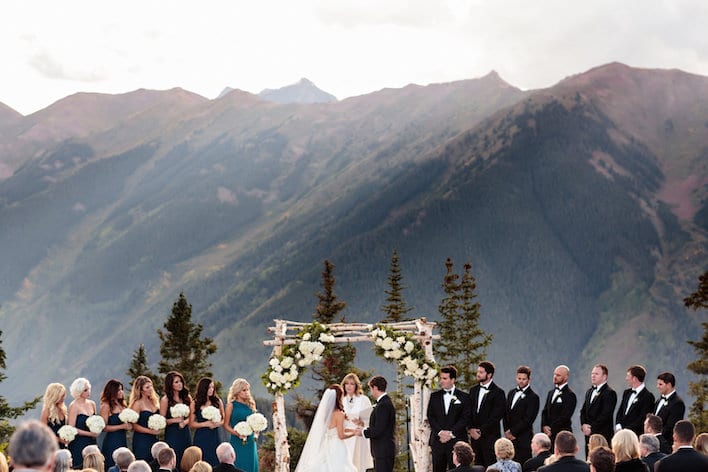
Lastly, do take a moment to check out Jason and Gina's wedding photography below.

Jason & Gina Grubb - Colorado Wedding Photographers

Jason & Gina Grubb - Colorado Wedding Photographers

Jason & Gina Grubb - Colorado Wedding Photographers

Jason & Gina Grubb - Colorado Wedding Photographers

Jason & Gina Grubb - Colorado Wedding Photographers

Jason & Gina Grubb - Colorado Wedding Photographers

Jason-Gina-023

Jason & Gina Grubb - Colorado Wedding Photographers

Jason & Gina Grubb - Colorado Wedding Photographers

Jason & Gina Grubb - Colorado Wedding Photographers

Jason & Gina Grubb - Colorado Wedding Photographers

Jason & Gina Grubb - Colorado Wedding Photographers

Jason & Gina Grubb - Colorado Wedding Photographers

Jason & Gina Grubb - Colorado Wedding Photographers

I also invite you to visit their website. They are pretty specific about who they are, who they serve and what kind of photography they happen to create for those people they attract. This is “specialism” in action folks and I love how they have brought it all together.

Update: If you missed it, you can can the recorded version of the webinar with Jason Grubb here. Simply register on the site and you will be notified when it is ready to view.

Filed Under: Business, Home Middle Right, Interviews, Marketing, Photography, Portraits, Weddings Tagged With: businesses, Colorado, educating, Instagram, Jason Grubb, Learning, Marketing, Photographers, Photography, Portraits, Shootdotedit, social media, Teaching, webinar, wedding photographer, Wedding Photography, Weddings

3 Big Reasons To Use CoSchedule For Your Social Media Marketing

August 14, 2014 by Seshu | Editor & Publisher

Google+, Twitter, Tumblr, YouTube, Facebook, LinkedIn, Instagram, Pinterest, Orkut … oh, forget about Orkut, that doesn't exist anymore. Phew!

But still, can you imagine posting to every single social media platform out there? When do you find time to photograph? Or, spend time with your family? You can drive yourself batty trying to be everywhere all the time. (Here is Gary Vaynerchuk's advice to master the four big platforms)

It's true, my wife thinks I am also married to my iMac and I am always sitting in front of it posting to these social media platforms at all hours of the day and night. At some point I experienced burn out. And you will too. It's a sense that all of this “work” you are doing online is really a huge waste of time.

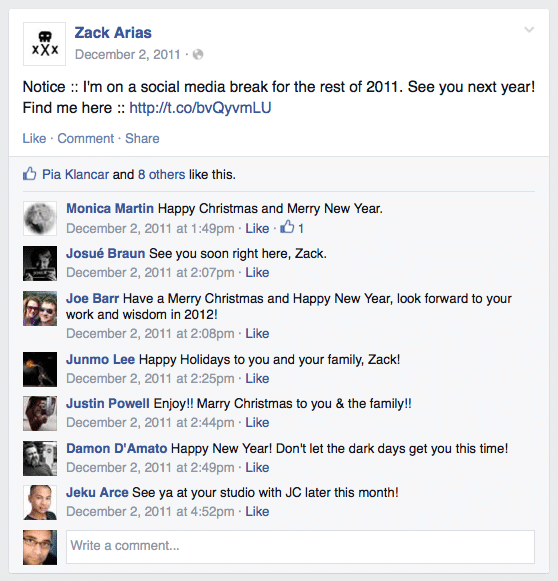
That's just your tired brain aching for a break. And you should step away from it all. Heck Zack Arias gives himself a whole month each year (I believe it is December) when he opts out of all social media circles. And good for him. As the new year approaches, he is ready to give it a big push and has the energy for it too.

Zack Arias Announces His Annual Social Media Break

As I said, whenever I have done it, it has always felt great. But is it always necessary to give yourself a time-out? While I really haven't missed any of the platforms, there is still a very tiny portion of me that wonders if I could still be engaging with my audience and driving traffic to my site, while I am on that well-deserved break.

The easy way out when it comes to blogging, and several other well-known bloggers have already suggested it, is to simply schedule your new posts in WordPress ahead of time. This very post you are reading was written several days ago.

But that only takes care of the blogging side of the equation. What about social media? I use an application called Buffer with some success, but it requires you to load your articles and links up ahead of time and then have them appear at different times of the day on different platforms.

However, I really wanted a tool that would be in sync with my blog – posting blog posts to different platforms, at different times from the very same WordPress dashboard I was using to write and edit my content.

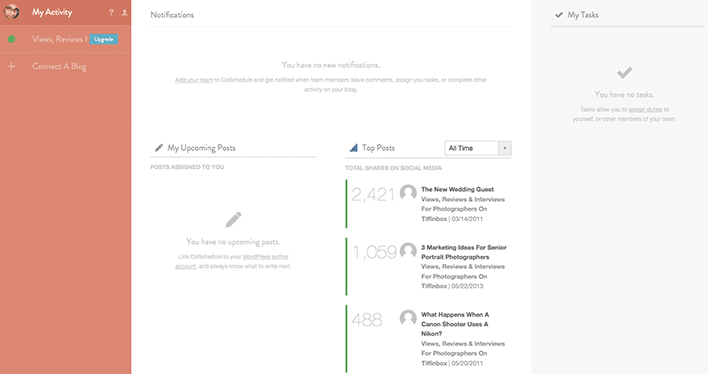
Thanks to Kim Doyal, I discovered that tool to be CoSchedule. I've now used it for over four weeks now and I can tell you the very reason I am posting this review is because I couldn't do without it. It's a plugin that sits below your content editing area (see screenshot below) and out of the way. It springs into action the minute you want to “Create Your First Message”. The tool is smart enough to pull in your blog post's url and set it up in a way that all you have to do is simply add your own out-going message. Interestingly, when I wrote a message that was longer than 140 characters, the system smartly told me that it couldn't send it to my Twitter feed because it was longer than Twitter allowed.

CoSchedule connects to Facebook, Twitter, LinkedIn, Pinterest and Tumblr. Once you register your account, you are able to create as many messages as you want and thereby schedule the same post to appear a day, three days, seven days or even a month after it publishes, so that your audience will always see it front-and-center.

So, what are the three big reasons why you should use CoSchedule for your social media marketing?

1) Being Consistent

In any business, appearing consistent adds to your credibility and speaks of your reliability. When your posts consistently and frequently appears on all the platforms, your audience (aka. your potential clients) are going to be reassured that doing business with you is going to be a-ok. In CoSchedule, you set it up once and you just move on to the next blog post. You really don't have to do much more than that.

2) Drive Traffic

I don't have to tell you how traffic from Facebook has dropped significantly. The only way more number of people are going to see your blog posts on Facebook is if you make it a point to share your links at different times of the day, allowing for a greater number of people to visit your site. CoSchedule makes this happen very easily.

3) Encourage Engagement

Whether is Twitter, Facebook or even Google+, if your audience only retweets, likes or 1+'s your posts, you aren't going to go very far. What you need is for your audience to engage with your content and in the end, engage directly with you. CoSchedule‘s interface allows you to add your own flavor to the posts, making it possible for you to ask questions or displaying a call-to-action that will help you see results.

Want to know more? Check out this two-minute video overview:

CoSchedule

CoSchedule Activity Screen

So, do you believe you will use an editorial calendar like CoSchedule for your blogging and social media marketing efforts? Sound-off below to share your opinions with me. I trust CoSchedule will save you time and make you more efficient. It does for me. That's a win-win in my book!

Filed Under: Blogging, Home Middle Right, Marketing Tagged With: blog, facebook, Kim Doyal, Marketing Efforts, Media Marketing, Media Platform, Photographers Blog, pinterest, social media, Twitter, Zack Arias

  • « Previous Page
  • 1
  • …
  • 3
  • 4
  • 5
  • 6
  • 7
  • …
  • 16
  • Next Page »

Subscribe To Tiffibox Treats!

Looking for a well-curated email newsletter that will leave you inspired and motivated about your photography business? Sign up below!

About Seshu

Seshu creates relaxed portraits of families and high school seniors in Avon, Connecticut. He also leads a successful headshot photography studio in Connecticut, helping professionals from a variety of disciplines project the very best versions of themselves. He created Tiffinbox as a way of inspiring photographers, to create better images and successful businesses. [Read More]

Email Templates For Headshot Photographers

Email Templates for Headshot Photographers

Recent Posts

  • How Capture One Changed My Event Photography
  • 10 Steps To Stay Positive In Times Of Great Stress
  • Why You Need To Read “Personal Branding For Photographers” Now
  • How To Master Your Website Content Step By Step?
  • Tony Taafe’s TNT Method For Headshot Photographers

Recent Comments

  • Stephen Davison on Are You A Business Owner Who Is Smart, But Stuck?
  • Ben A. on Don Giannatti Clinches The 8th Annual Tiffinbox Award
  • Dan on Don Giannatti Clinches The 8th Annual Tiffinbox Award
  • Donald Giannatti on Don Giannatti Clinches The 8th Annual Tiffinbox Award
  • Stephen Davison on G.E. Masana’s 6 Strategies For Wedding Photography Success
  • Naveen Kumar on Weddings In India Are More Than Being At The Right Place And At The Right Time
  • kartick on Weddings In India Are More Than Being At The Right Place And At The Right Time
  • Leonid Farbman on 6 Uncommon Trends To Grow Your Photography Business
  • Willow and Finch Wedding Photography on 11 Reception Tips To Help Your Wedding Photography
  • Web Designer Malaysia on How To Optimize Your Squarespace Website For Search Engines
  • Creastan on An Interview With Photojournalist G.M.B. Akash
  • Cindy Brown | Atlanta on An Open Letter To A Local Photographer

Become a Patron!

Copyright © 2026 · Tiffinbox · Site Design by Heather Mackan Creative · Built on Genesis