• Photography
  • Interviews
  • Business
  • Reviews

Tiffinbox

Inspiring Photographers

  • Home
  • About
  • Blog
  • Contact

Make More Money With Album Pre-Designs?

December 28, 2011 by Eric OConnor

This guest blog post is written by Eric O'Connor, a Chicago wedding photographer, owner of Allori Photography and mylife-pages. Follow Eric on Twitter.

2012 will soon be here.

January is the perfect time to take a hard look at how to maximize profits in the upcoming year. These are a few recommendations that have helped me, follow all three and I know they'll work for you too.

1. What's in it for me?
2. Stay in Touch
3. Share the Love

What's In It For Me?

Your clients want information. They want to know every detail about their purchase. Give it to them! You are the expert. Share your knowledge and process with them. Whatever you do please don't wait until after the wedding to inform your client about the pre-design process. If you do they will feel cheated.  After they book with you make sure to take time or create a wedding album FAQ to walk them through the album process. This doesn't have to be complicated. Just a simple step by step from the day you shoot the wedding to the day you deliver their album. Set expectations and then deliver on them. It is important they understand you will be telling the story of their wedding day and you'll use as many pages as it takes to get it right. I always like to mention it gives them a great starting point. They can then customize the album to exactly what they want. Your clients will love this idea. Anytime they can take ownership in the process, you win!

Allori Photography FAQ

Stay in Touch

Take a minute and think about the excitement leading up to the wedding. Your clients are excited about their wedding and then … BAM! … the wedding is over. It doesn't take long and they are back to real life. Catch your bride and groom in that first 30 days and their wedding day excitement will do the selling for you. You likely only have a 30 day window to take advantage of the wedding high. If 30 to 90 days go by and your bride hasn't seen pictures or a draft of her album it is much harder to add pages or sell additional albums. I make it a point to have everything to my brides 7 days after their wedding. I used to deliver images 30 days after the wedding and routinely life got in the way and the brides wouldn't even think about their album for a few more months. There were always a lot of album edits and very little pages added. Now, 7 days after their wedding they can view their Animoto slideshow, image gallery, and album pre-design right on their wedding website. I make sure to give my clients a deadline. We want to have the album completed and ready to print in 3 to 4 weeks. This helps give them a target to have their changes complete. Extra albums page sales have gone from a few or none to five, ten or more from every wedding.

Allori Photography Album Site

Allori Photography Album Site

Share the Love

Quick turnaround time is essential but I find coupling that with excitement from friends has really helped additional album page sales. A few years ago I emailed PDFs to my brides and they would leave me comments for changes. This was pretty efficient but didn't help me much when it came to advertising or extra album pages. I don't pay for ads in magazines and only have one ad online that I tested out this year and will discontinue Jan 1.  Word of mouth, SEO, social media, and over the top customer service do the job for me. The next iteration of album sharing was a slideshow posted on YouTube. I found I was getting quite a few hits and at the same time album sales started to increase. Brides started telling me their friends loved watching their wedding album movies. This was one of those common sense moments when the light goes on in your head. Friends of the bride love the album and they start telling the bride about their favorite pages. This process makes it harder and harder for the bride to remove or change pages.

Album Views | Eric O'Connor

Finally I arrived at the perfect solution, Share the Love! Wedding album movies on a post wedding website are essential to higher album page sales. With a favorites gallery, Animoto slideshow, and movie of the album, my brides have a constant flow of compliments from their friends about how much they love the wedding images and album pages. As you can see in the graphic the album movie in this wedding was viewed over 200 times in 6 weeks. I have been completely removed from the album page sales process. Yes, I have to take images my clients love but my brides' friends do the rest of the work for me. I do not meet with my clients to sell or add pages. These days they all add pages without sitting down with me.

Album Views | Eric O'Connor | Allori Photography

Test out the three steps above. They are easy so don't cheat yourself and pick just one. Do all three. You will start to see a difference in sales. Click the image below to see how I display sample albums on post wedding websites.

Want to try a post wedding website? Your first site is FREE. Surprise one of your favorite clients with a wedding website with colors to match their wedding.

Filed Under: Marketing, Photography, Sales, Weddings Tagged With: Album, chicago wedding photographers, eric o'connor, Marketing, marriage, Photography, photography albums, pre designed, sales, Tips, Wedding, wedding album, wedding albums, wedding day, wedding industry in the united states, Wedding Photography, wedding website

Using Checkpoints For New Resolutions

December 23, 2011 by Aaron Hockley

This guest blog post is by Aaron Hockley, a professional photographer and writer who tweets too much and blogs a few times each week. His professional work finds him working with businesses for events, publicity, and editorial work; he also creates abstract and travel photos for leisure. In addition to photography for clients Aaron often works with other photographers to help them understand and refine their online and social media presence.

As we reach the end of 2011, we’ll be reading various articles online and in print about resolutions for the new year. Much like the proverbial gym membership which goes unused after the first few weeks of January, I’ve seen photographers drift away from their promises to change their practices once a new calendar begins.

Looking forward to 2012, I’d encourage folks to look at their photography world from two standpoints: that of the art and that of the business. If you’re a hobbyist, the business aspect is irrelevant. If you’re a professional, you’ll find that the art and business are intertwined. Instead of making a big list of resolutions, I’d suggest photographers pick a theme or two for their 2012 goals.

Baloon Burn at Lift Off | Aaron Hockley

An Artistic Resolution

From an art perspective, where do you want to go? Is it time to dive into the world of off-camera flash? Is this the year to spend some time learning how to make HDR images? Perhaps you want to get serious about black & white for output. It’s great to think about all of the things that you could do, but after that I’d challenge you to pick just one. Instead of a list, let’s choose one theme for the new year.

Getting Down to Business

If you’re a professional (either full or part-time), it’s also wise to make an objective evaluation of your business as we begin a new year. While each business is unique, here are a few items for evaluation:

• What aspect of your business brought in the most revenue in 2011?
• What aspect of your business brought in the least revenue in 2011?
• How much time and effort are required for each of the previous two answers? What’s the return on the time spent? We’re talking “bang for the buck.”
• What marketing are you performing, and what results can you attribute to each form of marketing?

After evaluating your current business situation, decide what will change in 2012. Pick a direction for a business change in the new year. Perhaps it’s the elimination of an unprofitable aspect to your business, or perhaps it’s time for something new. For my business, I’ve decided to begin marketing and selling my abstract photo art.

After the Theme: Action

So now we’ve picked a theme for something new or changed for the art and business of our photography. What next? Next is turning that big theme into actionable tasks. Sit down with your task planning system of choice. Perhaps it’s an application specifically for tracking tasks. Perhaps it’s a blank document in the text editor of your choice. Perhaps it’s a legal pad. It doesn’t matter.

Record your theme and then start brainstorming actions that will help you move towards that goal in 2012. The actions will be depend on your goal, but might contain:

• market research
• learning a technique
• going somewhere
• branding
• marketing plans
• studying others’ work
• connecting with other photographers in a genre
• outreach to past clients
• outreach to new clients

Massage your list into a plan. The next step is to do the work. Stop planning and start doing, starting January 1st if not before.

Empty Governance | Aaron Hockley

Checkpoints

Go to your calendar (again, either electronic or analog, it doesn’t matter) and add some items. Make a note to give yourself a checkpoint on your goals. Set checkpoints for at least once a month, with the first checkpoint no later than Janauary 15th. When you hit a checkpoint, take a look at your efforts and results. If you aren’t moving forward, why not? Do you need to adjust your goal?

Adjusting your goal based on situational feedback is fine and healthy. Abandoning your goal probably isn’t.

2012 can be a great year for your photography. I’d love to know what you’re planning to learn, explore, or change in the coming year. Sound off below in the comments section.

Filed Under: Call To Action, Photography Tagged With: aaron hockley, checkpoints, goals, Marketing, marketing plan, photographer, Photography, professional photographers, resolutions

4 Tools For Photographers To Increase Social Exposure & Create A Personal Brand Online

December 16, 2011 by Nikki Peters

Today's guest post is by Nikki Peters, the community support manager for MarketMeSuite, the social media marketing dashboard you can use for free.

Publishing photos online is the new way of marketing your business, brand and even yourself and your own interests. Everyone can read a tweet or Facebook update and think nothing more of it, but to see a photo really does help you increase online engagement. As a professional photographer, it's vital that you get your photos out to your audience and even going viral. This article examines why photo sharing via social media can really help increase your online reputation and gain you a significant following. Here are 4 tools to help facilitate interaction and sharing of your photos.

1- MarketMeSuite – Photo Sharing From A Dashboard

MarketMeSuite, is a free Social Media Dashboard which has a Photo sharing feature called Photo.Me. This is excellent for those of you who like to upload and publish photos to all your accounts as it allows you to do so all in one place. Also, whenever you publish a photo via MarketMeSuite, it is automatically added to the official Phto.Me web page so anyone and everyone can see it. Every time someone visits the website itself, they see the images, and discover new Twitter accounts, people and businesses. It's a great way to get your photos seen, not just on your own Twitter/Facebook and Linkedin walls, but shared over a collective body of images where people can sit and browse at their own leisure and explore the photos origins.

Tips And Tricks For Using MarketMeSuite

Using MarketMeSuite's “Send To All” feature means you get to send your photo to your Twitter, Facebook profile, Facebook pages and groups and Linked.in in one swift swoop. Just check off the accounts you want your photo to be sent to and a link will be sent to all of them at the same time so you save time publishing your images to your audience. You have the ability to visit that photo at any time, delete it, see how many views it's had and grab the URL all from the MarketMeSuite app itself so you have everything you could possibly need at your finger tips to make sure that image is getting seen and by how many people.

2- Instagram – Photo Sharing From Your iPhone

Everyone with an iPhone is playing with Instagram, and why not, it's free and offers some pretty amazing photo effects that are easy and quick to apply. No fiddling, no adjustment, you pick the effect and they do immediately! If you are on the go and want to edit your images, Instagram offers you the ability to pick the desired photo effect and publish it to your audience quickly and whilst on the go! If you snap a great image and want to share it with your audience, there really is no better or more simple way. You can also post it to Facebook, Twitter and Flickr meaning it reaches the widest audience.

Tips And Tricks For Using Instagram

There is a common misconception that Instagram is for phones only. There is in fact, a cheats way of getting your photos on to it from your professional camera. All you have to do is upload professional quality photos using Dropbox and you can then pull them from your iPhone directly onto Instagram, and since it's a great network for sharing photos a lot of photographs and businesses alike are doing this. This way you don't have to sacrifice quality and pixels. Also, a Flickr plugin on your website can showcase all your photographs and you can hook it up to your iPhone to automatically share from Instagram.

3- Flickr – Photo Sharing On Your Blog

Flickr is arguably one of the worlds biggest photo sharing websites, it's certainly one of the more popular ones which is why it is a must for professional photographers. What better place to meet others with the same passion as you and share ideas and thoughts about it? With millions of people with an account, you are in good company! Upload your images and they can be seen under your username. Again you can structure your photos into albums so your work is neat and well organized so your audience can easily find what they like.

Tips And Tricks For Using Flickr

Flickr allows you to add plugins to your websites and blogs so you can advertise your photos on your website making marketing and access to your images easier than ever! Having content on your website gives people an immediate knowledge of your work and style so catches their interest. It also gives you the ability to let others use your images in their “Creative Commons” section meaning people can use and interact with your work so it gets seen by even more people. It's also a good idea to use tags so your photos can be searched for easily and you get a wider result of people looking at your work.

4- Facebook – The Viral Photo Share

It's so obvious it's easy to over look it. Facebook is the worlds biggest social network and when you add pages and profiles and gain a good following, it's a great way of easily uploading and sharing your photos. Whether you add them to a particular structured photo album or to a wall or share them individually, Facebook gets your photos to the masses. All it takes is one photo to be “Liked”, “shared” or linked out and you suddenly get a in-tune and appreciative audience.

Tips And Tricks For Using Facebook

With Facebook, you have so many options as to how you want to publish your photos and who can see them. Bulk load your images into content albums or upload them one by one, you have a limitless amount you can add and upload. The biggest tip with Facebook, is to publish photos that encourage your audience to get your photo's seen by liking and sharing. That's the best and most organic way of going viral as people trust their friend's “likes” and suggestions.

So Why Should You Use Any Of These Tools?

Words can't fully explain a sight, a time, a moment like a photo can. Not only can they inspire, they can help facilitate passive following. Your photos work for you even when you're not online engaging and trying to convert customers. Whether it's a photo of the office dog, of a new product for your business, or even just a beautiful photo, you have the internet at your fingers tips which helps you make sure they are seen and gain your exposure in your profession.

Which of the above tools do you use and why? Have you found clients or people interested in licensing your images because of these social media applications? Let us know below!

Filed Under: Marketing, Photography Tagged With: Marketing, marketmesuite, Photographers, Photography, tools

3 Months Of AnimotoPro Free For You

December 11, 2011 by Seshu | Editor & Publisher

For a limited time – that's until December 31 of this year – when you sign up for AnimotoPro, you'll get 3 months added to your account. That's 15 months for the price of 12. Not too shabby, eh?

And, yes, full disclosure, I get something out of this too. For every one of you who signs up using my affiliate link, I also receive 3 months added to my account.

WHY ANIMOTOPRO?

It's simple. It's elegant. It's easy. It's customizable. You can set the video resolution from 360p to 480p to 720p (HD). It can drive traffic back to your site, especially if you embed your slideshows on Facebook. And who doesn't want quality clients these days, right?

So check AnimotoPro out to see if it is the slideshow program for you and your workflow. Once I process and retouch images, I save the images to a “slideshow” folder. I use AnimotoPro's classy interface to upload the images (this is perhaps what takes the most time). Then as it is uploading, you can choose one of the many songs (I found the selections to be diverse). The “Advance Settings” allow you to title and describe the slideshow and also hide the “Animoto” branding.

MY WISH LIST FOR ANIMOTO PRO

Here is my wish list for what Animoto could do better – 1) the ability to loop in two or more songs for a slideshow and 2) branding the slideshow with my own logo (you'll see below that I hacked my way through it by inserting an end slide with my logo and contact information).

A SAMPLE SLIDESHOW

Here is a sample slideshow I processed in about 15 minutes. I uploaded the images, chose a theme, decided on a song (you also have the ability to upload your own choice) and added text and other link backs to my website.

I am convinced that the service will pay for itself very quickly. Imagine the impact it will make with your clients. With AnimotoPro you can also download the slideshow, create a special DVD for your clients and either gift it to them or charge them for the added value you are providing them. In any event, it is a win-win.

THE DEAL ENDS ON DECEMBER 31, 2011

If you have been on the fence about working with Animoto, now is the time to get down to business. Between today and December 31, you and I will both get 3 months free if you decide to subscribe to AnimotoPro.

IF YOU SIGN UP …

If you sign up with AnimotoPro and use their service, please come back and leave a link to your slideshow in the comments below. I would love to see how you end up using it.

Filed Under: Photography, Web/Tech Tagged With: AnimotoPro, clients, dvd, highlights, Marketing, slideshow

Effectively Automating Social Media Marketing

June 13, 2011 by Andrew Funderburg

Andrew “Fundy” Funderburg, is no stranger to Tiffinbox. Read his previous contribution about his album designing program for wedding and portrait photographers. In full disclosure I have to tell you that he and I are collaborating on SociRoll, the social media marketing tool he discusses briefly in this guest blog post.

I’d like to start off by saying that I am at the top of the list of haters of social media tools being used to spam people. Do not use social media to spam your followers.

So, the question is, why would I invent a program for automating Social Media marketing. The answer is simply that I have more things to share with my friends and followers than I have time in the day to share.

Social Media is all about making connections with people. For me it is about making deep connections. I’m not the type of person always tweeting and posting a ton of personal information. Sure, I’ll hop on Facebook and Twitter during the weekend and talk about the movie I’m going to see or whether my kids won their basketball games. But, during the week, I post a few personal things–mostly information about photography and the business of photography.

We strive to collect and provide some of the best content in the wedding and portrait industry. Content that we create and share today is still valuable in one or two months. If we manually update everything on Facebook and Twitter, all of this old content is lost. We constantly have new followers and friends and these new people will be just as interested in our old content as our new content.

Andrew Funderburg Blog Posts

Since August of 2010, we’ve written 150+ blog posts. More than 100 of these blog posts are related to the business of wedding and portrait photography. There are articles on everything from how to price wedding albums to how to sell portrait packages and everything in between. I want to make sure that our followers see this info.

It would be physically impossible for me to make sure that each one of these blog posts is featured in a tweet once a day. I would lose track of what I shared yesterday, probably miss some things, duplicate some things, etc. The point here is that if I have SociRoll auto post one of my blog posts every day, or even twice a day, we won’t repeat sharing a blog post for 3 months. And then we take into account the fact that if something doesn’t show up in your Twitter in the last five minutes, we won’t see it. The chances of someone seeing repeated Tweets is very low.

Andrew Funderburg Twitter Streams

Now, let’s take a professional photographer. Let’s say the average wedding photographer shoots 30 weddings and 40 portraits a year. That’s 70 blog posts a year. Then let’s say they have been in business for 3 years. That’s more than 200 blog posts. Sharing one of these (or even two of these) events on their Facebook fanpage every day will seriously add to their brand and their site traffic.

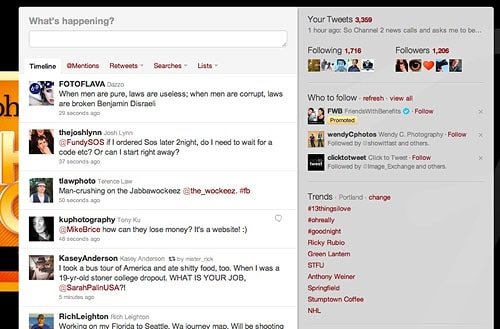
So, do we set it and forget it? No. We let SociRoll do the heavy lifting for us, and we work hard to respond to people, retweet our friends, add personal touches, etc. But we know that our content that we’ve worked extremely hard to create is being shared among our friends and followers. Here's how to get started with SociRoll.

Filed Under: Blogging, Business, Marketing Tagged With: automate, automating, blog, blog post, engaging with people online, facebook, human interest, Marketing, marketing tools, online social networking, portrait photographers, social information processing, social media, tools, Twitter, web 2.0, world wide web

  • « Previous Page
  • 1
  • …
  • 5
  • 6
  • 7
  • 8
  • 9
  • 10
  • Next Page »

Subscribe To Tiffibox Treats!

Looking for a well-curated email newsletter that will leave you inspired and motivated about your photography business? Sign up below!

About Seshu

Seshu creates relaxed portraits of families and high school seniors in Avon, Connecticut. He also leads a successful headshot photography studio in Connecticut, helping professionals from a variety of disciplines project the very best versions of themselves. He created Tiffinbox as a way of inspiring photographers, to create better images and successful businesses. [Read More]

Email Templates For Headshot Photographers

Email Templates for Headshot Photographers

Recent Posts

  • How Capture One Changed My Event Photography
  • 10 Steps To Stay Positive In Times Of Great Stress
  • Why You Need To Read “Personal Branding For Photographers” Now
  • How To Master Your Website Content Step By Step?
  • Tony Taafe’s TNT Method For Headshot Photographers

Recent Comments

  • Stephen Davison on Are You A Business Owner Who Is Smart, But Stuck?
  • Ben A. on Don Giannatti Clinches The 8th Annual Tiffinbox Award
  • Dan on Don Giannatti Clinches The 8th Annual Tiffinbox Award
  • Donald Giannatti on Don Giannatti Clinches The 8th Annual Tiffinbox Award
  • Stephen Davison on G.E. Masana’s 6 Strategies For Wedding Photography Success
  • Naveen Kumar on Weddings In India Are More Than Being At The Right Place And At The Right Time
  • kartick on Weddings In India Are More Than Being At The Right Place And At The Right Time
  • Leonid Farbman on 6 Uncommon Trends To Grow Your Photography Business
  • Willow and Finch Wedding Photography on 11 Reception Tips To Help Your Wedding Photography
  • Web Designer Malaysia on How To Optimize Your Squarespace Website For Search Engines
  • Creastan on An Interview With Photojournalist G.M.B. Akash
  • Cindy Brown | Atlanta on An Open Letter To A Local Photographer

Become a Patron!

Copyright © 2026 · Tiffinbox · Site Design by Heather Mackan Creative · Built on Genesis