• Photography
  • Interviews
  • Business
  • Reviews

Tiffinbox

Inspiring Photographers

  • Home
  • About
  • Blog
  • Contact

Andrew Funderburg, Inspire Interviews: Episode 17 & 18

February 2, 2015 by Seshu | Editor & Publisher

Fundy Software LogoIn 2008, Andrew Funderburg founded Fundy Software in Beaverton, Oregon. The company was quickly recognized for its many innovations like Album Builder, Image Brander + Blog Collage, Album Proofer and Image Finder. This year, the company will be launching Fundy Direct, making it possible for photographers to send all their album designs directly to any of album manufacturing companies that are integrated with the system.

Fundy Software will be at Inspire Photo Retreats starting on February 9, running through the 11th. I had the pleasure of speaking with Fundy and then the company's Marketing Assistant, Kate Kauffman who will be present at the conference in Portland, Maine. Give both conversations a listen and come up and say hello to Kate when you see her at Inspire!

Inspire Photo Retreats - February 9-11, 2015, Portland, Maine

Fundy tells us why he has decided to support intimate photography conferences like Inspire Photo Retreats:

Learn more about Fundy Direct by listening to my conversation with Kate Kauffman, below:

Inspire Photo Retreats - February 9-11, 2015, Portland, Maine

Are you coming to Inspire? If so, say so … below!

Fundy Software: Fundy Direct

Filed Under: Conferences, Interviews, Photography, Web/Tech Tagged With: Andrew Funderburg, Fundy Software, Kate Kauffman, photography album design software, technology

Get This Free Twitter Guide By Photoshelter

April 9, 2014 by Seshu | Editor & Publisher

My first foray into social media (even before it was called that, I believe) was on Twitter. I didn't know what I was doing. I was a skeptical dabbler.

Now approaching 9000 followers (small compared to some other very popular people), I credit Twitter for being the catalyst for my headshot portrait photography business in Connecticut.

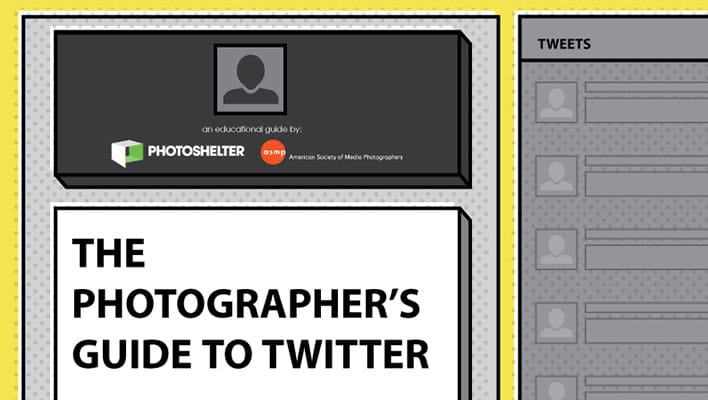
More on how all that worked out another time, but I wanted to let you know that my friends at Photoshelter have launched a new guide on using Twitter that you should download and read. Like all of their other guides, this one packs a punch and even I have learned a few things about using Twitter. The guide is free, and you get to learn about something that you use anyway, even for fun. If you do use it as a channel for your business, reading this new guide on Twitter is a no-brainer.

Photoshelter Twitter Guide

The guide includes:

  • 10 ways to grow a Twitter following and increase engagement – including sharing behind-the-scenes photos and tweeting about what’s trending
  • Top Twitter features for businesses that will help you market your work better
  • Legal considerations before using Twitter, plus best practices to help keep your work safe
  • Tips to measure your success and determine if your efforts are working
  • Plus more
  • Get the free Twitter guide from Photoshelter here.

    If you use Twitter, go ahead and list your Twitter handle in the comments section below. I'll check each one out and follow those of you who are actively using Twitter. My Twitter handle is @PicSeshu.

    Do we have a deal? I look forward to connecting with you on Twitter.

    Filed Under: Home Middle Right, Marketing, Photography Tagged With: best practices, guide, Headshot Portrait, New Guide, Photography Businesses, photoshelter, portrait photography, social media, technology, Twitter, Twitter Handles, Twitter Usage, websites

    Why Calibrating Your Camera’s Lenses Is A Must For All Photographers

    June 19, 2012 by Wes Kauffman

    Wes Kauffman is the President and Lead Technician at Perfect Image Camera, an independent camera repair center located in Lancaster, PA. Perfect Image has been providing professional camera repair service to the amateur, advanced amateur and professional photographic community for over 30 years.

    “There are only two guarantees in life, Death and Taxes.” – Ben Franklin

    I could not disagree more with the above statement. There are three guaranteed things in life. Death, taxes, and the fact that 90% of the lenses you buy will not focus properly on your camera. As a camera repair technician I am continuously hearing photographers complain about soft images. Either their lenses used to be sharp and now are not, or they just never performed up to their expectations. The truth is they are right, their lenses are not sharp, no matter how expensive, how new, or how well they take care of their lenses. Taking a camera and lens off the shelf, putting them together and getting perfectly sharp images is just not likely.

    The reason is simple. Manufacturing relies on producing a high quality product, not a perfect product. Could Canon and Nikon produce perfectly matched cameras and lenses? Yes, but none of us could afford them. So in order to keep cost down they manufacture equipment to fall within “Allowable Tolerances”. In other words if a lens back focuses just a little, or a camera front focuses a tiny bit that is ok, because the amount of time and money it would take to get things perfect is just not worth it.

    So, what’s a photographer to do? Thankfully the answer is really quite simple, Micro-Adjust (for the Canon lover), and AF Fine Tune (for all you Nikonians out there). Essentially what the manufacturers have come up with is a software solution. The process goes like this. We take a camera and lens that are having front or back focus issues, test them on an AF adjustment tool, enter the correct adjustment into the camera and voila we have a camera and lens combo that focus correctly. Now in real life it takes a little more work than that, but you get the idea. In my opinion the most practical and well thought out feature in newer DSLR’s is the AF Calibration feature. Very few technical advances have had such a profound impact on image quality as this one tool.

    Perfect Image Lens Calibration

    Now I’m going to be honest with you. Calibrating your camera is something you can do yourself, some of my customers do, and some of my customers try. The truth is a qualified repair tech can do it faster, and probably more accurately. They will have the correct tools and more importantly the experience. You also need to keep in mind that not all camera models have the AF Calibration feature built in. Here is a list of current cameras that can be calibrated.

    Canon and Nikon

    Nikon and Canon DSLR Bodies That Can Be Cleaned at Perfect Image Camera, Inc.

    Sometimes calibration is not the answer to focus issues you might be having. Often times, (especially in Canon lenses) the USM (ultrasonic motor) unit in the lenses can go bad. If you have a Canon USM lens and the focus “seeks” (goes in and out without locking focus), or is very erratic (i.e. will back focus one moment and front focus the next) you need a repair not just a calibration. Nikon lenses don’t have the problem as frequently, but it still does occur. I always check a lens for these problems before I even begin the calibration process. If your lens does need repair please keep in mind that once the repair is complete it should still be calibrated with your camera.

    Perfect Image Lens Calibration

    So to wrap things up, your images are soft, guaranteed! Well 90% guaranteed anyway. Thankfully there is a solution and I can help you with it. Check out my website www.perfectimagerepair.com or click here to order your calibration service today.

    Perfect Image is committed to being the solution to all your camera repair or professional sensor cleaning needs. Use the following code: “tiffinbox” and receive a $5 discount off of calibration or sensor cleaning from Perfect Image Camera.

    Filed Under: Photo Gear, Photo Technology Tagged With: calibrate, camera, camera and lens, digital photography, digital single lens reflex camera, image lens, images cameras, lenses, nikon, optics, perfect image, photographic lens, Photography, sharp images, technology, usm lens

    You Got Extremely Essential Camera Skills?

    August 22, 2011 by Seshu | Editor & Publisher

    Right around the holidays last year, just about everyone I know bought or received a camera. No, these weren't the point & shoot variety (hey we have our iPhones for that right?). These were DSLR‘s or digital SLR's. The excitement over opening the camera was palpable. I know because I received several emails soon after asking me … “So, I got a DSLR, but my images still suck. Why?”

    My first response was always, “did you read the manual?” The silence at the other end was quite telling. Most of us, I know fail to read our manuals. When I bought my first Nikon DSLR, which I believe was the D70, I don't remember diving into the manual either. On the one side, there is a new toy to play with and on the other, my ego was saying to me: “Yeah, I can figure this out. No problem.” That's until I started seeing images I'd be ashamed to show my mom.

    Essential Camera Skills TutorialSo, if the manual is way too daunting, or even boring, what do you do? Until today, you could have scoured the interwebs and patched together a bunch of the info that may have helped elevate your game. That too is time consuming and unless you are nuts about photography or pursuing as a professional, chances are slim you would be inclined to curate that information, digest it and then deploy it on your next go around with your DSLR.
    Rob & Lauren Lim, the duo behind Photography Concentrate, have just published Extremely Essential Camera Skills. I was one of the few lucky ones to receive a review copy gratis. Having seen some of their earlier tutorials – Photo Editing Skills and Album Design Skills, I knew this one was going to be special.

    Think of Extremely Essential Camera Skills as the foundational course you forgot to take when you started experimenting with your camera. It's exquisitely designed – consistent with their other tutorials and extremely engaging website (which you must bookmark). When you open up the PDF, you are presented with a set of colorful tabs for the different chapters such as: The Camera, Focusing, Exposure, Lenses, Depth of Field and Camera Settings. I found the built-in navigation to be very helpful as it makes it easy to skip pages or navigate back to the ones you want to read again.

    Extremely Essential Camera Skills Navigation

    Unlike other tutorials that teach but fail to train, what I loved about Rob & Lauren's latest offering is that they are serious about making sure you get the concepts they have just taught before moving on to the next chapter. They do this through tips, exercises, videos (more on this in a bit) and pop quizzes. Though it is incredibly thorough, Extremely Essential Camera Skills is not a read it and forget it kind of manual. The lessons you will learn, each one at your own pace, will stick with you for a lifetime. The definitions and demonstrations are easy to understand and absorb.

    As a professional, most of the concepts were familiar to me. But that's only because I use my camera every day, so it does become intuitive. Having a guide like Extremely Essential Camera Skills will help you get to that point where you too can easily make images you are proud to show your family and friends.

    If there was one area where I could see the authors develop more content, it's the section on using an alternative to that pesky flash that everyone insists on deploying. To their credit they do say this: “The built-in flash on cameras generally sucks.” So true. May we see a sequel to this guide that will dwell on off-camera flash? I hope so, but I do believe this guide will lay the foundation for better images using flash. So, I do urge you to get this one first.

    Extremely Essential Camera Skills Videos

    The 7 videos by Lauren are fantastic. Her even, conversational tone and excellent examples helped me better understand the concept behind exposure compensation. So, the take aways are many. With Rob & Lauren's permission, I am considering using this guide book for photographers (I really don't want to call it a manual) in the beginning photography class I teach high schoolers. Yes, it's that good and it is perfectly fitted to meet the demands of amateurs and semi-professionals too.

    As I have already stated, I received a review copy Extremely Essential Camera Skills and loved it. If you are struggling to use your DSLR, this guide book will help you get comfortable. For the next two weeks starting today, Rob & Lauren are offering a launch sale. You can get Extremely Essential Camera Skills for $29.97, that's 40% off the regular price of $49.99. In addition to the 89-page PDF and videos which you can view on your computer or your iPad, you will receive the Extremely Essential Camera Skills Field Guide, which you can print and tote around while you are photographing.

    Full disclosure: As an affiliate, I receive a commission on the sale of this PDF to support Tiffinbox. If you enjoy the content on this site, I ask that you use the links in this post to buy Extremely Essential Camera Skills. Thank you!

    Filed Under: Books, Photography, Tutorials Tagged With: camera, camera flashes, camera settings, cameras, digital photography, digital single lens reflex camera, dslr, ebook, essentials, extremely essential camera skills, Flash, guide books, guides, manual, PDF, Photography, photography concentrate, rob & lauren lim, skill, technology, tutorial

    Going Wireless: PocketWizard For Off-Camera Flash

    June 15, 2011 by Seshu | Editor & Publisher

    The very core of the Strobist experience is to use your flash units off-camera or studio strobe units on location. There are a lot of options in the market now that can help you do just that. From personal experience, though, I have used the PocketWizard Plus II Transceivers. More recently I switched to Paul C. Buff's CyberSync system. Now I am considering returning back to PocketWizard.

    These two videos below by Mark Wallace have convinced me to make the move back. The videos show how the new units work with the Nikon camera and flash systems. I suspect, however, the way these units operate won't be too radically different if you are using a Canon system. So everyone is welcome!

    How To Shoot With PocketWizard MiniTT1 and FlexTT5

    How To Use The PocketWizard AC3 Zone Controller

    For using these units on a Canon system, check out these video tutorials.

    By sheer coincidence, I won these units some time back. So, you'll see an “open-box” video very soon. Stay tuned! Thanks to Mark Wallace and Phil Bradon of Mac Groups for sending me the Nikon version of these PocketWizard units. I can't wait to go out and play with them.

    Below, tell me if you have considered buying these units or you have already invested in a RadioPopper or some other wireless system. Do you work with flash off-camera or studio units for your shoots? Do you have questions on how to set those up? Would you find it useful if there were more tutorials posted here on Tiffinbox? Let me know!

    Filed Under: Off-Camera Flash, Photography, Reviews Tagged With: camera flashes, cameras, digital photography, electronics, Flash, j. mark wallace, live preview digital cameras, nikon, nikon camera, off-camera flash, Photography, pocketwizard, red digital cinema camera company, shooting, strobist, technology, Video, video tutorials, zone controller

    • 1
    • 2
    • Next Page »

    Subscribe To Tiffibox Treats!

    Looking for a well-curated email newsletter that will leave you inspired and motivated about your photography business? Sign up below!

    About Seshu

    Seshu creates relaxed portraits of families and high school seniors in Avon, Connecticut. He also leads a successful headshot photography studio in Connecticut, helping professionals from a variety of disciplines project the very best versions of themselves. He created Tiffinbox as a way of inspiring photographers, to create better images and successful businesses. [Read More]

    Email Templates For Headshot Photographers

    Email Templates for Headshot Photographers

    Recent Posts

    • How Capture One Changed My Event Photography
    • 10 Steps To Stay Positive In Times Of Great Stress
    • Why You Need To Read “Personal Branding For Photographers” Now
    • How To Master Your Website Content Step By Step?
    • Tony Taafe’s TNT Method For Headshot Photographers

    Recent Comments

    • Stephen Davison on Are You A Business Owner Who Is Smart, But Stuck?
    • Ben A. on Don Giannatti Clinches The 8th Annual Tiffinbox Award
    • Dan on Don Giannatti Clinches The 8th Annual Tiffinbox Award
    • Donald Giannatti on Don Giannatti Clinches The 8th Annual Tiffinbox Award
    • Stephen Davison on G.E. Masana’s 6 Strategies For Wedding Photography Success
    • Naveen Kumar on Weddings In India Are More Than Being At The Right Place And At The Right Time
    • kartick on Weddings In India Are More Than Being At The Right Place And At The Right Time
    • Leonid Farbman on 6 Uncommon Trends To Grow Your Photography Business
    • Willow and Finch Wedding Photography on 11 Reception Tips To Help Your Wedding Photography
    • Web Designer Malaysia on How To Optimize Your Squarespace Website For Search Engines
    • Creastan on An Interview With Photojournalist G.M.B. Akash
    • Cindy Brown | Atlanta on An Open Letter To A Local Photographer

    Become a Patron!

    Copyright © 2026 · Tiffinbox · Site Design by Heather Mackan Creative · Built on Genesis